UDP Proxies
UDP stands for User Datagram Protocol, a connectionless protocol that sends data without establishing a formal connection. By skipping handshakes and delivery confirmation, UDP achieves faster and more lightweight transmission than the Transmission Control Protocol (TCP). That's exactly why it’s used in time-sensitive tasks like DNS queries, live streams, or Voice over Internet Protocol (VoIP). A UDP proxy server enables routing of UDP traffic through external networks, making it possible to maintain UDP’s speed and low-latency benefits even across indirect or geo-routed connections. Unlike HTTP proxies, which typically don’t support this kind of traffic, UDP proxies are designed for tools and platforms that rely on quick, one-way communication.
Types of Proxies

ISP
-
Unlimited Sessions
-
99.9% Uptime
-
Premium ISP Providers
-
Not Shared
-
SOCKS5 Supported
Most popular

Rotating Residential
-
195 Countries Available
-
Traffic Never Expires
-
SOCKS5 Supported
-
City/State Targeting
-
Flexible Rotation

Datacenter
-
Unlimited Sessions
-
99.9% Uptime
-
Not Shared
-
40+ Locations
-
SOCKS5 Supported

Mobile
-
Unlimited Bandwidth
-
4.5M+ Residential IPs
-
Auto-Rotate Toggle
-
API Access
-
5G/4G/3G Support
'/%3e%3cpath%20d='M141.524%2072.1499L284.62%2072.1499L284.62%2083.9994L141.524%2083.9994L141.524%2072.1499Z'%20fill='url(%23paint1_linear_925_20521)'/%3e%3cpath%20d='M284.62%2066.6206L427.716%2066.6206L427.716%2083.9998L284.62%2083.9999L284.62%2066.6206Z'%20fill='url(%23paint2_linear_925_20521)'/%3e%3cpath%20d='M427.716%2057.1416L569.24%2057.1416L569.24%2084.0004L427.716%2084.0005L427.716%2057.1416Z'%20fill='url(%23paint3_linear_925_20521)'/%3e%3cpath%20d='M569.238%2047.9248L710.761%2047.9248L710.761%2083.9999L569.238%2083.9999L569.238%2047.9248Z'%20fill='url(%23paint4_linear_925_20521)'/%3e%3cpath%20d='M710.763%2036.6021L852.287%2036.602L852.287%2084L710.763%2084L710.763%2036.6021Z'%20fill='url(%23paint5_linear_925_20521)'/%3e%3cpath%20d='M852.285%2025.8057L995.381%2025.8057L995.381%2083.9998L852.285%2083.9998L852.285%2025.8057Z'%20fill='url(%23paint6_linear_925_20521)'/%3e%3cpath%20d='M995.381%2018.4326L1138.48%2018.4326L1138.48%2083.9998L995.381%2083.9998L995.381%2018.4326Z'%20fill='url(%23paint7_linear_925_20521)'/%3e%3crect%20x='1138.48'%20width='141.523'%20height='83.9997'%20fill='url(%23paint8_linear_925_20521)'/%3e%3c/g%3e%3cdefs%3e%3clinearGradient%20id='paint0_linear_925_20521'%20x1='70.7617'%20y1='77.0503'%20x2='70.7449'%20y2='84.1596'%20gradientUnits='userSpaceOnUse'%3e%3cstop%20stop-color='%23008C99'%20stop-opacity='0'/%3e%3cstop%20offset='1'%20stop-color='%232DD8E1'/%3e%3c/linearGradient%3e%3clinearGradient%20id='paint1_linear_925_20521'%20x1='213.072'%20y1='73.2156'%20x2='213.032'%20y2='84.2471'%20gradientUnits='userSpaceOnUse'%3e%3cstop%20stop-color='%23008C99'%20stop-opacity='0'/%3e%3cstop%20offset='1'%20stop-color='%232DD8E1'/%3e%3c/linearGradient%3e%3clinearGradient%20id='paint2_linear_925_20521'%20x1='356.168'%20y1='68.1836'%20x2='356.082'%20y2='84.3629'%20gradientUnits='userSpaceOnUse'%3e%3cstop%20stop-color='%23008C99'%20stop-opacity='0'/%3e%3cstop%20offset='1'%20stop-color='%232DD8E1'/%3e%3c/linearGradient%3e%3clinearGradient%20id='paint3_linear_925_20521'%20x1='498.478'%20y1='59.5572'%20x2='498.27'%20y2='84.5605'%20gradientUnits='userSpaceOnUse'%3e%3cstop%20stop-color='%23008C99'%20stop-opacity='0'/%3e%3cstop%20offset='1'%20stop-color='%232DD8E1'/%3e%3c/linearGradient%3e%3clinearGradient%20id='paint4_linear_925_20521'%20x1='639.999'%20y1='51.1693'%20x2='639.625'%20y2='84.7503'%20gradientUnits='userSpaceOnUse'%3e%3cstop%20stop-color='%23008C99'%20stop-opacity='0'/%3e%3cstop%20offset='1'%20stop-color='%232DD8E1'/%3e%3c/linearGradient%3e%3clinearGradient%20id='paint5_linear_925_20521'%20x1='781.525'%20y1='40.8649'%20x2='780.878'%20y2='84.982'%20gradientUnits='userSpaceOnUse'%3e%3cstop%20stop-color='%23008C99'%20stop-opacity='0'/%3e%3cstop%20offset='1'%20stop-color='%232DD8E1'/%3e%3c/linearGradient%3e%3clinearGradient%20id='paint6_linear_925_20521'%20x1='923.833'%20y1='31.0395'%20x2='922.869'%20y2='85.2'%20gradientUnits='userSpaceOnUse'%3e%3cstop%20stop-color='%23008C99'%20stop-opacity='0'/%3e%3cstop%20offset='1'%20stop-color='%232DD8E1'/%3e%3c/linearGradient%3e%3clinearGradient%20id='paint7_linear_925_20521'%20x1='1066.93'%20y1='24.3295'%20x2='1065.71'%20y2='85.3468'%20gradientUnits='userSpaceOnUse'%3e%3cstop%20stop-color='%23008C99'%20stop-opacity='0'/%3e%3cstop%20offset='1'%20stop-color='%232DD8E1'/%3e%3c/linearGradient%3e%3clinearGradient%20id='paint8_linear_925_20521'%20x1='1209.24'%20y1='7.5547'%20x2='1207.21'%20y2='85.7041'%20gradientUnits='userSpaceOnUse'%3e%3cstop%20stop-color='%23008C99'%20stop-opacity='0'/%3e%3cstop%20offset='1'%20stop-color='%232DD8E1'/%3e%3c/linearGradient%3e%3c/defs%3e%3c/svg%3e)
'/%3e%3cpath%20d='M28.8062%20106.119L85.1944%20106.119L85.1944%20185.999L28.8062%20185.999L28.8062%20106.119Z'%20fill='url(%23paint1_linear_925_20609)'/%3e%3cpath%20d='M85.1948%2081.0469L141.583%2081.0469L141.583%20185.999L85.1948%20185.999L85.1948%2081.0469Z'%20fill='url(%23paint2_linear_925_20609)'/%3e%3cpath%20d='M141.583%2057.1406L198.597%2057.1406L198.597%20185.998L141.583%20185.998L141.583%2057.1406Z'%20fill='url(%23paint3_linear_925_20609)'/%3e%3cpath%20d='M198.597%2040.8149L255.611%2040.8149L255.611%20185.999L198.597%20185.999L198.597%2040.8149Z'%20fill='url(%23paint4_linear_925_20609)'/%3e%3crect%20x='255.612'%20width='56.3882'%20height='185.998'%20fill='url(%23paint5_linear_925_20609)'/%3e%3c/g%3e%3cdefs%3e%3clinearGradient%20id='paint0_linear_925_20609'%20x1='0.612084'%20y1='131.876'%20x2='-1.93903'%20y2='187.126'%20gradientUnits='userSpaceOnUse'%3e%3cstop%20stop-color='%23008C99'%20stop-opacity='0'/%3e%3cstop%20offset='1'%20stop-color='%232DD8E1'/%3e%3c/linearGradient%3e%3clinearGradient%20id='paint1_linear_925_20609'%20x1='57.0003'%20y1='113.303'%20x2='52.4059'%20y2='187.385'%20gradientUnits='userSpaceOnUse'%3e%3cstop%20stop-color='%23008C99'%20stop-opacity='0'/%3e%3cstop%20offset='1'%20stop-color='%232DD8E1'/%3e%3c/linearGradient%3e%3clinearGradient%20id='paint2_linear_925_20609'%20x1='113.389'%20y1='90.486'%20x2='105.48'%20y2='187.55'%20gradientUnits='userSpaceOnUse'%3e%3cstop%20stop-color='%23008C99'%20stop-opacity='0'/%3e%3cstop%20offset='1'%20stop-color='%232DD8E1'/%3e%3c/linearGradient%3e%3clinearGradient%20id='paint3_linear_925_20609'%20x1='170.09'%20y1='68.7297'%20x2='158.335'%20y2='187.531'%20gradientUnits='userSpaceOnUse'%3e%3cstop%20stop-color='%23008C99'%20stop-opacity='0'/%3e%3cstop%20offset='1'%20stop-color='%232DD8E1'/%3e%3c/linearGradient%3e%3clinearGradient%20id='paint4_linear_925_20609'%20x1='227.104'%20y1='53.8723'%20x2='212.221'%20y2='187.376'%20gradientUnits='userSpaceOnUse'%3e%3cstop%20stop-color='%23008C99'%20stop-opacity='0'/%3e%3cstop%20offset='1'%20stop-color='%232DD8E1'/%3e%3c/linearGradient%3e%3clinearGradient%20id='paint5_linear_925_20609'%20x1='283.806'%20y1='16.7282'%20x2='259.311'%20y2='186.352'%20gradientUnits='userSpaceOnUse'%3e%3cstop%20stop-color='%23008C99'%20stop-opacity='0'/%3e%3cstop%20offset='1'%20stop-color='%232DD8E1'/%3e%3c/linearGradient%3e%3c/defs%3e%3c/svg%3e)
Need Enterprise-Scale Proxies? Contact Us for Custom Plans.
Best Software 2026


Want to Know the Most Important Points About UDP Proxies?
What Is a UDP Proxy?
A proxy is a tool that acts as a go-between for your device and the internet. When you send data, it first goes to the proxy, which then forwards it to the target server. The server sends the response back to the proxy, and from there, it reaches you. There are many types of proxy servers, each categorized by what kind of traffic they handle or how they route it.
UDP proxies fall into the category of protocol-based proxies. Unlike HTTP proxies, which handle connection-based data, a UDP server works with the User Datagram Protocol, a lightweight, fast, and connectionless standard. These proxies support routing UDP protocol-based traffic like VoIP, DNS, or IPTV streams, where speed and low latency are often more important than guaranteed delivery.
In addition to forwarding UDP packets to their destinations, these proxies can mask your IP address and optimize data flow for better performance. Some advanced setups also use a UDP reverse proxy to handle inbound UDP requests from external users, forwarding them to internal services for processing.
Protocol Advantages
UDP omits many of the safeguards found in TCP-based systems. There’s no connection setup, no delivery verification, and no retransmission logic. That can sound risky, but it’s exactly what enables faster performance in applications like DNS lookups, live video, or real-time analytics.
For developers working with UDP-based applications, a UDP-based proxy provides a good way to test and deploy services without the overhead of connection tracking or persistent session management. A proxy with UDP traffic support doesn’t get bogged down by connection tracking. It just focuses on forwarding UDP data as it flows. It’s a cleaner, more efficient way to handle the kind of network operations where speed matters more than reliability.

Reliability Considerations
The User Datagram Protocol is fast because it cuts corners, and one of those corners is delivery confirmation. When sending UDP traffic, there’s no built-in mechanism to verify receipt, making it suitable for use cases where some packet loss is acceptable, such as real-time media or lightweight queries. If your use case demands reliability, you’ll need to implement checks at the application level or use a hybrid approach with TCP and UDP, depending on what you’re routing.
UDP data packets can arrive out of order or not at all. Since there's no sequencing built into the UDP protocol, the destination application must be able to reassemble or recover from missing packets. Real-time systems like gaming platforms or IPTV streams often account for this by using buffering or error-tolerant playback methods. If you're using a UDP-based proxy server to handle this traffic, make sure the receiving system knows how to deal with irregular flow, or consider a SOCKS5 UDP proxy if you want more control over packet handling.
What Is the Difference Between a TCP and a UDP Proxy?
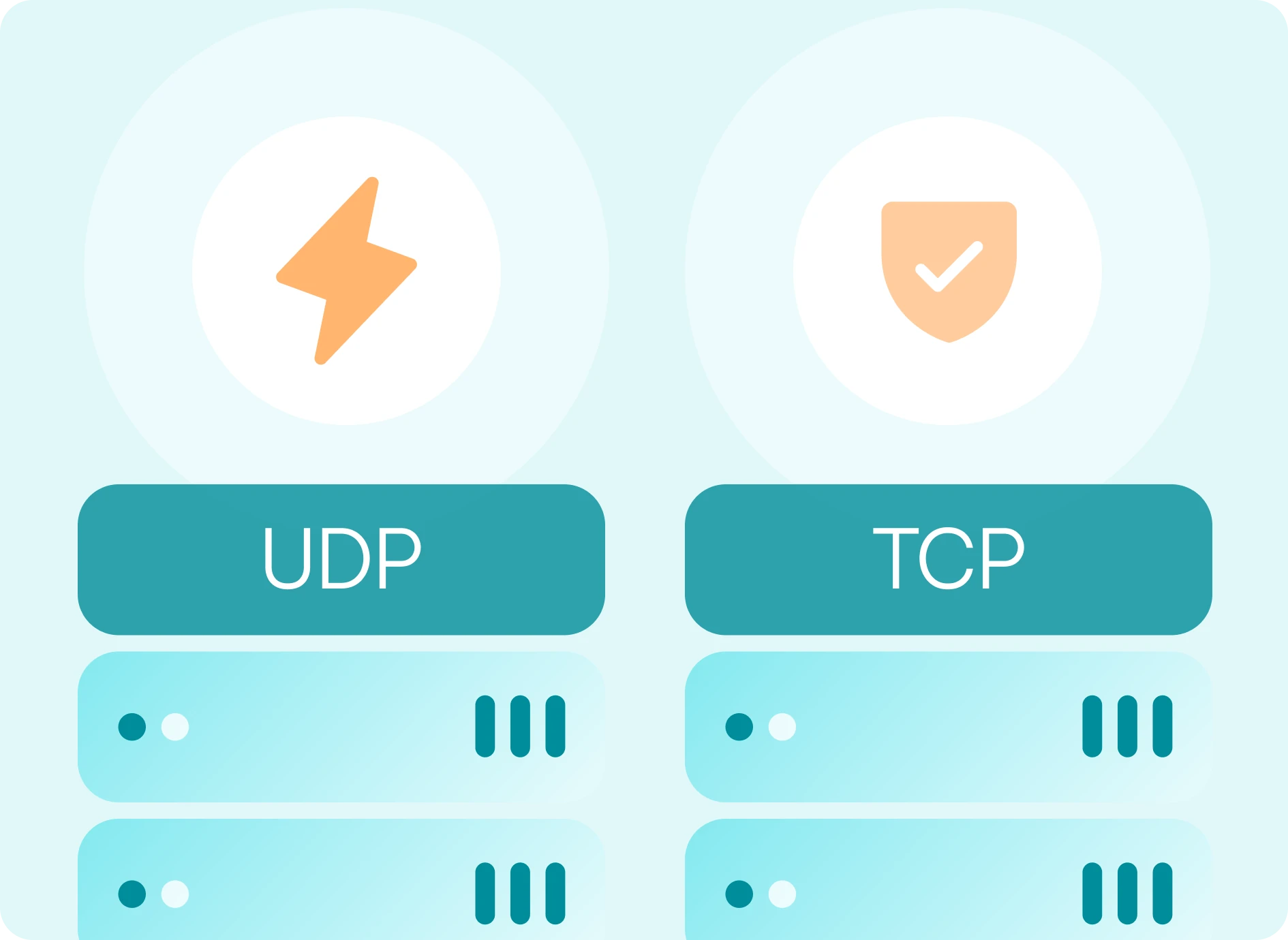
UDP-based proxy servers are ideal for speed-critical use cases, but how do they compare to TCP proxies? The main difference lies in the protocol. While UDP favors speed and simplicity, TCP focuses on reliability. TCP proxies help maintain connection integrity, making them the preferred option for applications where data completeness and order are essential.
So, how do you decide? If you're dealing with VoIP, DNS requests, UDP-based IPTV streams, or other forms of fast-moving UDP traffic, stick with UDP-based proxies. They keep things lightweight and responsive. But if you’re handling sensitive transactions, file transfers, web scraping, or API communications, TCP proxies provide the session control and delivery guarantees those workflows demand. Some setups even use both: a SOCKS5 UDP proxy for real-time routing and a TCP fallback for backup operations.

Most Common UDP proxy Use Cases
The one thing that truly sets UDP proxies apart is speed. When every millisecond counts, the User Datagram Protocol lets you send data fast, without waiting for a connection or confirmation. This is why UDP-based proxy servers are used in time-sensitive, high-volume systems where performance is everything.
Gaming Multiplayer games use UDP-based traffic for lightning-fast updates like player movements and status checks. A UDP server helps route this traffic through geographically closer or custom servers, reducing lag and enabling access to region-specific matchmaking or game versions.
VoIP and streaming calls VoIP platforms like Zoom or SIP-based apps use UDP for real-time audio and video transmission, as they can tolerate occasional packet loss without disrupting the entire stream. A UDP-based proxy setup helps route this traffic while masking your IP address and maintaining fluid communication.
DNS queries DNS queries typically use UDP over port 53 for fast name resolution. Routing DNS traffic through a SOCKS5 proxy with UDP support allows users to influence lookup behavior, such as targeting specific geographic resolvers, masking origin IP, or bypassing DNS filtering.
IPTV and media streaming Certain IPTV services transmit media streams via UDP to minimize buffering and ensure low-latency playback. A UDP-based proxy can route this traffic efficiently, helping preserve stream quality and improve delivery across distributed networks. If you're looking to buy a server for IPTV streaming, make sure it supports UDP traffic to avoid buffering and lag.
Network testing and monitoring Network diagnostic tools often use UDP to test latency, run port scans, or assess service availability under realistic traffic conditions. When routed through a UDP proxy, this testing can be extended across different networks, geographies, or configurations to evaluate performance under varied conditions.
Be cautious when using a free UDP proxy. These often come with serious tradeoffs in reliability, privacy, and connection stability, especially for tasks like IPTV streaming or real-time gaming. Look for a premium UDP proxy list from a reliable provider.
Which proxies support the UDP protocol
The answer depends on what you’re actually referring to: the protocol type or the IP source. From a protocol standpoint, SOCKS5 proxies are the only ones that support UDP-based traffic natively. They can forward UDP data packets, and are used in everything from IPTV UDP proxy server setups to real-time DNS and gaming services. HTTP proxies don’t support UDP data. They only handle TCP connections via the Transmission Control Protocol.
But from a network architecture point of view, any IP source type, residential, datacenter, ISP, or mobile, can be used to build a UDP proxy server, so long as it’s paired with a compatible protocol like SOCKS5. That means you can have a residential SOCKS5 proxy with UDP support, a datacenter-based UDP proxy, or even a mobile UDP proxy, provided your proxy provider supports the right protocols. The key is matching the proxy protocol, such as UDP, to your use case, not just the IP source.
Top IPv4 Proxy Locations
-
 United StatesUS135,681 IPs
 -
 United KingdomGB77,724 IPs
 -
 FranceFR45,921 IPs
 -
 GermanyDE45,488 IPs
 -
 AustraliaAU17,097 IPs
 -
 SpainES15,923 IPs
 -
 PolandPL15,002 IPs
 -
 CanadaCA14,862 IPs
 -
 NetherlandsNL13,485 IPs
 -
 AustriaAT13,247 IPs
 -
 BrazilBR10,482 IPs
 -
 ItalyIT8,420 IPs
 -
 JapanJP8,402 IPs
 -
 DenmarkDK8,236 IPs
 -
 SwedenSE7,394 IPs
 -
 SingaporeSG7,293 IPs
 -
 Hong KongHK7,047 IPs
 -
 Czech RepublicCZ6,200 IPs
 -
 BelgiumBE6,032 IPs
 -
 RomaniaRO5,348 IPs
 -
 SwitzerlandCH5,038 IPs
 -
 New ZealandNZ4,899 IPs
 -
 IrelandIE4,024 IPs
 -
 LithuaniaLT3,682 IPs
 -
 PortugalPT3,649 IPs
 -
 GreeceGR3,053 IPs
 -
 FinlandFI3,044 IPs
 -
 Moldova, Republic OfMD2,878 IPs
 -
 LuxembourgLU2,505 IPs
 -
 NorwayNO2,503 IPs
 -
 LatviaLV2,459 IPs
 -
 Taiwan, Province Of ChinaTW2,354 IPs
 -
 TurkiyeTR2,005 IPs
 -
 ThailandTH1,860 IPs
 -
 SerbiaRS1,621 IPs
 -
 SlovakiaSK1,620 IPs
 -
 CroatiaHR1,588 IPs
 -
 ColombiaCO1,256 IPs
 -
 SloveniaSI1,002 IPs
UDP Proxy Features
-

Low-latency connections
Ideal for real-time applications like VoIP, streaming, and gaming - our UDP proxies ensure fast and stable data flow.
-

Global availability
Choose from a wide range of UDP proxies worldwide to optimize connection speeds and reduce packet loss wherever your audience is.
-

High uptime
Enjoy consistent uptime and minimal jitter with UDP proxies built on reliable servers with a robust networking infrastructure.
-

Shared and dedicated IPs
Take advantage of Residential Proxies for organic traffic or ISP, Datacenter, and Mobile proxies with zero bandwidth limits for complete usage control.
-

Versatile use cases
From web scraping and market research to SEO monitoring, automation, and testing - our proxies offer the flexibility you need for your projects.
-

24/7 support
Get help with any questions you may have whenever you need it - our experts are always ready to help.
-

Wide compatibility
Deploy our UDP proxies with a range of real-time protocols and applications - no restrictions or limitations as long as your activity is legal.
-

No commitments
Get started in minutes with daily or monthly plans and full control over your traffic - no contracts, no obligations.
-

Built for teams
Easily manage access with sub-accounts and centralized billing for seamless collaboration across departments or teams.
FAQ
What is the difference between SOCKS5 and UDP?
Think of it this way: the UDP proxy protocol is the transport method, like sending a package via drone, fast, with no signature or tracking. SOCKS5 is the courier system that routes that drone, telling it where to go, but not altering how it flies. SOCKS5 can handle UDP data, but it operates on a different layer. It’s the framework that enables forwarding of UDP data packets, not the protocol that controls how those packets behave in flight.
Does IPTV use UDP?
Some IPTV services, particularly those using multicast delivery, rely on UDP IPTV streaming because it enables low-latency data transmission without the overhead of delivery confirmation.
How do I set up a UDP proxy?
There’s no universal setup for UDP-based proxies. The right approach usually depends on whether you're applying it system-wide or inside a single app, like a media player, anti-detect browser, communication app, or scraping tool. On top of that, your operating system and the type of UDP proxy server (like SOCKS5 UDP) also play an important role. To help you set everything up correctly, we’ve created easy-to-follow setup guides tailored to different tools and platforms.
Are TCP ports different from UDP ports?
TCP and UDP both use the same range of port numbers, from 0 to 65535, but they’re treated as separate channels. So yes, TCP ports are different from UDP ports. You could have an app listening on TCP port 80 and another listening on UDP port 80, and they wouldn’t interfere with each other. That’s why when you’re configuring a UDP proxy server, you need to specify the correct port and protocol.