Mobile Anti-Detect Browsers Explained: How They Differ From Proxies and VPNs
Software comparisonsLearn how mobile anti-detect browsers hide your hardware signals, and see why you need to pair them with premium proxies to stop account bans.


Milena Popova
Key Takeaways
-
A dedicated mobile anti-detect browser isolates your session data and generates a realistic mobile profile, helping you bypass strict platform security.
-
Because hardware spoofing doesn't hide your IP address, you need to use high-quality residential or mobile proxies to look like a genuine user.
-
Your IP location must match the time zone, language, and user-agent of your virtual profile, which is why you need an anti-detect browser.
To run sensitive automation tasks online, professionals use software that masks their actual hardware to mimic regular users – exactly what a mobile anti-detect browser does. In this guide, we’ll break down how these browsers work, how they protect your identity online, and how they differ from standard proxies and VPNs .
What Is a Mobile Anti-Detect Browser?
A mobile anti-detect browser mitigates the chance of getting banned by generating unique, isolated browser profiles that mimic real mobile devices.
Mainstream platforms have evolved far beyond analyzing simple cookies. Today, they deploy sophisticated algorithms that scrutinize touch-event patterns, graphic-rendering data, and device APIs to verify whether traffic is authentically mobile.
When evaluating your options, you’ll generally find two approaches: routing your traffic through real, cloud-based mobile devices or using desktop software to project a mobile footprint artificially.
How Mobile Anti-Detect Browsers Actually Work
The software needs to maintain strict profile isolation. Every virtual identity needs its own distinct cache, local storage, and digital fingerprint with zero overlap.
When you launch a new profile, the software immediately spoofs the hardware signals your browser exposes. These primarily include:
- User-agent strings matched to specific OS builds.
- Screen resolutions and CPU core counts (hardware concurrency).
- WebGL and Canvas hashes, which mask how your specific GPU renders graphics.
- System fonts and time zone configurations.
- Simulated sensor data (like battery status or media device inputs).
Keep in mind that these settings must be altered cohesively. Changing just a single browser parameter out of context creates a mismatched, inconsistent fingerprint that anti-fraud systems will flag immediately.
Mobile Anti-Detect Browsers vs Proxies vs VPNs
What a VPN Does
A VPN encrypts your connection and routes your traffic through a remote server to hide your activity from your ISP, but it doesn’t change the browser fingerprints your device broadcasts to websites, which is why it cannot be considered a decent alternative for anti-detect browsers.
Because standard VPN IP addresses typically belong to massive data centers, anti-fraud systems easily recognize the traffic as artificial and will often block your access.
What a Proxy Does
A proxy acts as a middleman. High-quality residential or mobile proxies mask your IP address with one belonging to a real home or cellular network, giving you the trust score of a genuine consumer.
What a Mobile Anti-Detect Browser Does
A mobile browser alters the software environment and fingerprints your device presents to the web, generating a digital identity that looks exactly like a real smartphone.
If you run an anti-detect browser without a proxy, you will openly broadcast your real IP address across every profile you create. Conversely, if you use premium proxies without an anti-detect browser to spoof your fingerprints, target platforms will easily link your accounts together based on identical underlying data, like canvas hashes.
Common Mistakes Users Make With Mobile Anti-Detect Browsers
Multi-accounting safely requires attention to detail. Even a minor configuration mistake can instantly compromise one or more of your profiles.
The most common setup errors include:
- Launching a profile without verifying the proxy connection first.
- Logging into conflicting accounts within the same isolated profile.
- Mismatching IP locations and time zones.
- Cloning the exact same hardware fingerprint for dozens of accounts.
- Trying to use an anti-detect web browser to bypass security meant for native mobile apps.
- Assuming the browser alone makes you completely immune to bans.
These inconsistencies give anti-fraud systems exactly what they need to flag your sessions. So, you need to make sure you use modern anti-detect tools that won’t compromise your efforts to stay hidden.
Why Proxies Are Still Essential
Even if your software generates a perfect smartphone fingerprint, routing it through a known data center IP will trigger immediate security blocks.
Using high-quality proxies alongside your browser provides a few crucial advantages:
- Access to rotating IP addresses, which mimic how a real mobile user naturally switches cell towers or networks.
- Geographic consistency lets you anchor your profile’s time zone and language settings to a realistic physical location.
- High trust scores from mobile proxies . Because cellular networks use Carrier-Grade NAT (CGNAT), your IP is shared with thousands of real users, making platforms highly reluctant to block it.
- Strict network-level isolation, ensuring your distinct profiles never share a visible connection history.
Building a Reliable Mobile Anti-Detect Setup
A reliable setup for anti-detect software depends on three main components: premium proxies, solid fingerprint spoofing, and consistency.
Choosing the Right Anti-Detect Tool
Choosing between real cloud devices and software emulation ultimately depends on your target platforms and your technical comfort level.
Pairing Each Profile With Its Own Proxy
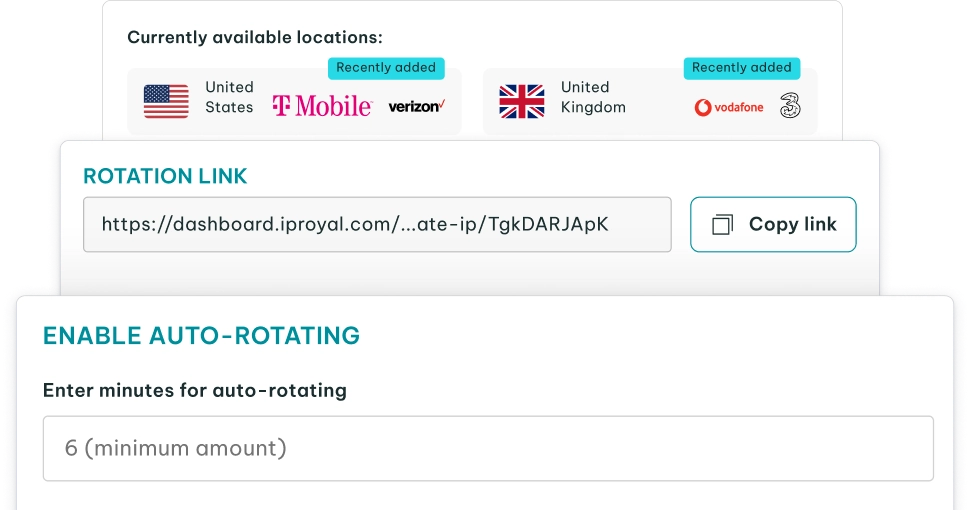
Assigning a dedicated proxy to each profile prevents cross-contamination. To do this effectively, use sticky proxies that hold the same IP address for the entire duration of your session.
Monitoring and Adjusting
Track your profile survival rates so you can systematically replace burned IPs and create fresh hardware profiles when necessary, keeping your accounts healthy over time.
When You Actually Need a Mobile Anti-Detect Browser
Assessing your exact needs first prevents you from overcomplicating your setup and wasting money on expensive software when a simple proxy might do the trick.
These tools are essential for:
- Managing multiple accounts on strict social media platforms.
- Accessing mobile-only platform features on the web.
- Verifying global mobile ad campaigns.
- Running ecommerce operations on mobile-first marketplaces.
- Scaling mobile traffic arbitrage campaigns.
Operating inside these high-friction environments demands dedicated fingerprint spoofing to overcome continuous validation checks. Conversely, a standard desktop anti-detect browser or a simple proxy is usually enough for:
- Scraping public web data at scale.
- Managing desktop-only administrative platforms.
- Simple tasks that only require changing your IP address.
- Everyday privacy browsing.
- Basic UI testing where you only need to simulate a mobile screen size, not the actual device environment.
Deploying heavy mobile spoofing software for these straightforward tasks only drains your budget and introduces unnecessary failure points.
Final Thoughts on Mobile Anti-Detect Browsers
Ultimately, a successful strategy treats your anti-detect browser and high-quality proxies as an integrated system, not standalone tools. Anyone running multiple accounts successfully knows that spoofing device fingerprints is only half the battle; investing in a high-reputation proxy network is just as important.
Before spending your budget on a massive setup, start small. Launch a single profile to test your proxy and browser combination on low-stakes targets first.
FAQ
What’s the difference between a mobile anti-detect browser and a regular anti-detect browser?
A mobile anti-detect browser spoofs the sensor APIs, touchscreen behaviors, and digital fingerprints native to smartphones, while a standard anti-detect browser focuses on mimicking desktop operating systems and monitor sizes.
Can I use a VPN instead of a mobile anti-detect browser?
No. A VPN only encrypts your traffic and changes your IP address. It doesn’t alter your device’s digital footprint, meaning it cannot do the job of an anti-detect browser.
Do I still need a proxy if I’m using a cloud-based mobile anti-detect browser?
Yes. Even if you use a real cloud-hosted smartphone, that physical device still sits in a data center. Without a residential or mobile proxy, platforms will see that data center IP and likely block you.
Are mobile anti-detect browsers legal to use?
Yes, using an anti-detect browser is legal in most jurisdictions. However, using one to bypass a platform’s Terms of Service violates their rules and can lead to immediate account bans.
Can mobile anti-detect browsers be detected by platforms?
Yes. While good anti-detect browsers mask your presence effectively, advanced security systems can still catch you if your network settings are wrong or if your profile leaks mismatched signals. A poorly configured setup will almost always trigger automated defenses.