5 Best Google Trends APIs in 2026
WebsitesExplore the top Google Trends APIs for 2026. Compare features, pricing, real-time access, historical data, and scalability to choose the best API for your needs

Kazys Toleikis
Key Takeaways
-
The best Google Trends API allows businesses to keep better track of the changing trends on a global scale.
-
Most API solutions provide real-time trend data, while more advanced ones offer automation for large-scale keyword monitoring.
-
Google's official Trends API is also available, but it's an alpha version and only available for select developers and researchers who need to go through an approval process.
Google Trends can be a great research tool, but it’s no secret that monitoring search spikes manually takes time – especially if you’re analyzing multiple trends. And while the dashboard itself is straightforward, it’s not exactly designed for continuous work.
Instead of manually repeating keywords, downloading isolated CSV files, and dealing with rate limits, most professionals and teams choose API-powered automation. Since Google’s own Trends API release, a few new API solutions have appeared in the market.
Our article will explore the top 5 Google Trends APIs available in 2026, reviewing the strengths of each solution and comparing them against each other, so you can find the best one for you.
How We Chose the Best Google Trends APIs
Picking the right tools for any job means going through specific criteria to both understand the capabilities of the tool and find out whether it has the features you need. For that purpose, we analyzed the most popular features most users look for when choosing a Google Trends API solution.
Here’s a quick breakdown of the individual features we used to create our list of the best Google Trends APIs:
- Reliability and uptime: We compared the performance and consistency of each API, particularly in handling high-frequency tasks without returning HTTP 429 Too Many Requests or gateway errors.
- Data accuracy and completeness: Output should match the figures shown in the Google Trends UI, e.g., interest over time, related queries, regional breakdowns.
- Scalability: We checked how well-equipped the most popular APIs were to handle sudden volume spikes to see whether they could handle large sets of keyword checks without affecting performance.
- Documentation and developer experience: A top-tier tool needs clean documentation, production-ready SDKs (especially for Python and JavaScript), transparent error codes, and responsive support channels.
- Pricing structure: We prioritized transparent pricing models that include pay-as-you-go tiers for early startups and predictable bulk pricing for enterprise needs.
- Anti-blocking and proxy management: We reviewed whether the major Google Trends APIs have built-in proxy management or proxy integrations to access global trend information without experiencing IP blocks.
- Format and language support: We prioritized APIs that output fully structured JSON or clean CSV formats that can be easily processed by modern databases or data frames.
- Historical and real-time data: We looked at how easily each toggles between real-time hourly spikes and long-term historical archives over the past five to twenty years.
Top 5 Google Trends APIs for 2026
1. Official Google Trends API (Alpha)
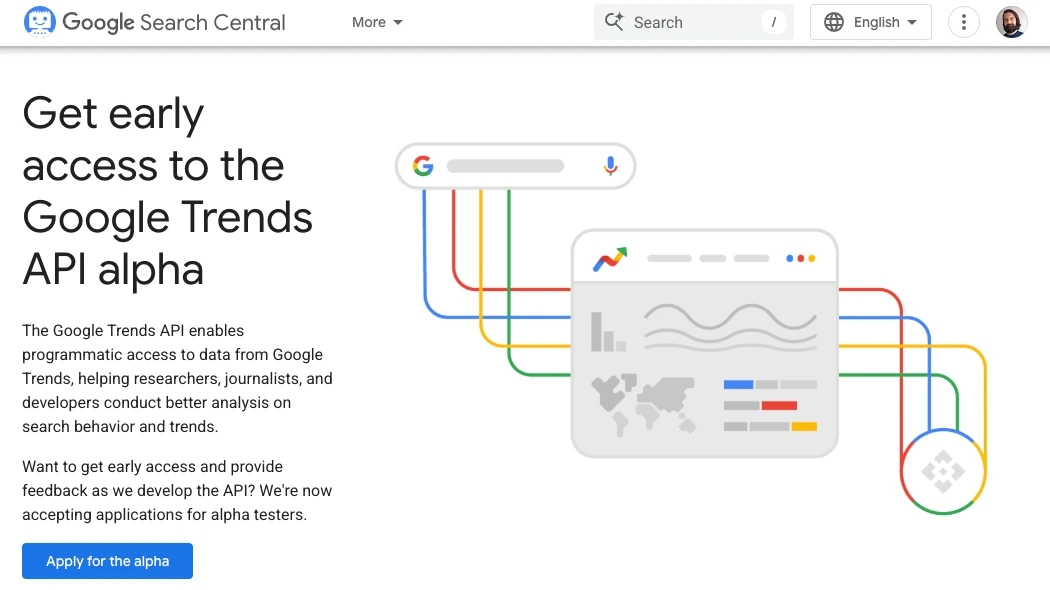
Google’s official API solution launch, albeit still in Alpha, is a major step towards a more structured developer interface. Built directly into the Google Search Central ecosystem, it offers clean, native access to search trends for verified developers.
| • Alpha version: An early testing version with limited access. |
|---|
| • Beta version: A more stable testing version available to a wider group of users. |
This tool is designed to be the ultimate compliance-first option for extensive corporate environments. Unlike the Google Trends web interface, the official Google API provides scaled data pools for developers to monitor keyword interest over a specified time without relying on web scraping .
- Best for: Researchers, journalists, newsrooms, data teams, and strict corporate data compliance teams.
- Pricing: Currently only has a strict application system for developers and researchers.
| Strengths | Considerations |
|---|---|
| • Direct first-party data straight from Google’s servers • Doesn’t require proxy management, IP rotation, or CAPTCHA solving • Allows you to compare multiple keywords at the same time |
• Has an alpha framework controlled by strict access controls • Limits historical data availability to a five-year window • Lacks real-time trend tracking |
2. ScrapingBee Google Trends API
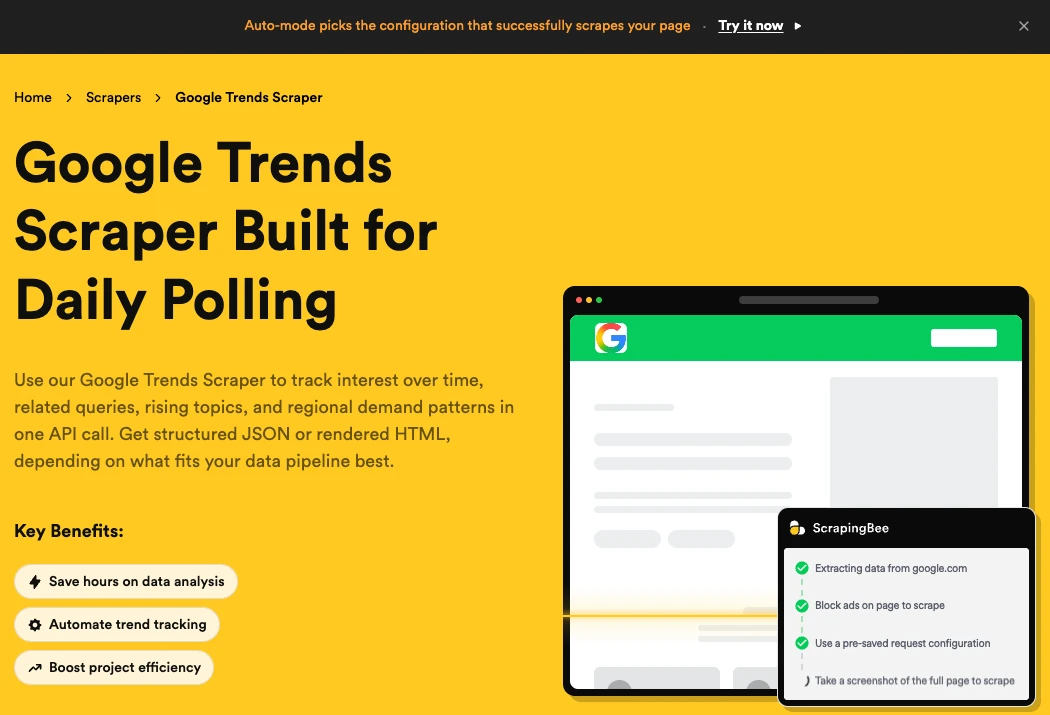
ScrapingBee’s dedicated Google Trends extraction engine is built for developers. It helps set up massive daily pipelines to run high-volume programmatic workflows without added complexity. To make the entire trend data collection process easier, ScrapingBee’s API also includes premium rotating residential proxies to bypass CAPTCHAs and strict anti-bot monitoring systems.
- Best for: Growth marketers, technical SEO engineers, and SaaS platforms.
- Pricing: Starts from $49/month.
| Strengths | Considerations |
|---|---|
| • Strong anti-bot bypassing capabilities • Flawless request handling • Flexible output configurations (JSON, HTML) • Detailed documentation with official SDKs for Python, Node.js, Ruby, and Go |
• Relies on headless browser resources • Can drive up usage prices for large-volume requests |
3. SerpApi Google Trends API
SerpAPI is an industry favorite for providing highly detailed and structured data from search engine results pages (SERPs) . Unsurprisingly, one of the SerpApi Google Trends API engine’s standout features is treating Google Trends with the same high precision as with standard search rankings.
Additionally, SerpApi lets developers view advanced URL parameters directly through its API endpoints for highly targeted geographic and chronological filtering. This means that you can search for exact time zones and demographic categories for targets like YouTube Search or Google Shopping.
- Best for: Advanced data scientists, localized market researchers, and competitive intelligence analysts.
- Pricing: Free plan with up to 250 monthly searches.
| Strengths | Considerations |
|---|---|
| • Multiple data parsing options • Provides access to historical data from 2004 to the present day • Includes a helpful query builder for testing parameters live • Has a smart caching system |
• Complex infrastructure • Nested JSON responses can take time to map into internal databases fully |
4. DataForSEO Google Trends API
DataForSEO has a Google Trends and a joint Trends API, making it easier for users to view SERPs on a more detailed level. The Trends API gathers data from multiple sources to provide users with more comprehensive data views with a single response, saving time and money.
The tool is particularly favored for its adaptable pay-as-you-go pricing model, designed specifically for data software companies and high-end marketing tools.
- Best for: SEO software platforms, keyword research tool creators, and development teams with limited budgets.
- Pricing: Uses a queue-based system with POST and GET requests. The Standard Queue is $0.0027 per task.
| Strengths | Considerations |
|---|---|
| • Particularly low pricing tiers per task • Live mode returns results in ~32 seconds on average; Standard Queue within 45 minutes. • Advanced demographic filtering (age, gender, geo locations, etc.) |
• Has a cap of 2000 API calls per minute per account. • Teams need to plan larger bulk tracking tasks over multiple days |
5. Bright Data Google Trends API
Bright Data is an established global proxy service provider offering one of the largest proxy network infrastructures, so it’s no wonder that this provider also has its own Google Trends API. This tool combines automated SERP scrapers with an elite proxy layer, resulting in robust search trend aggregation.
Since Bright Data focuses on offering enterprise-level services, its Google Trends API also comes with a complex, advanced infrastructure built almost entirely for big data analytics platforms. While this can limit the tool’s accessibility for smaller teams, big corporations can benefit from a Google Trends solution that supports operations at scale.
- Best for: Enterprise data analysts, market intelligence platforms, and machine learning teams training predictive models on public interest trends.
- Pricing: Offers a free trial with 5,000 credits; pricing scales after.
| Strengths | Considerations |
|---|---|
| • Best-in-class scalability with a 400M+ proxy pool • Highly accurate geo-targeting up to specific zip codes and cities • Advanced dashboard with multiple enterprise features • Full audit logging for enterprise data standard requirements |
• Not designed for small-to-medium businesses • Steep learning curve • Comes with a high price tag |
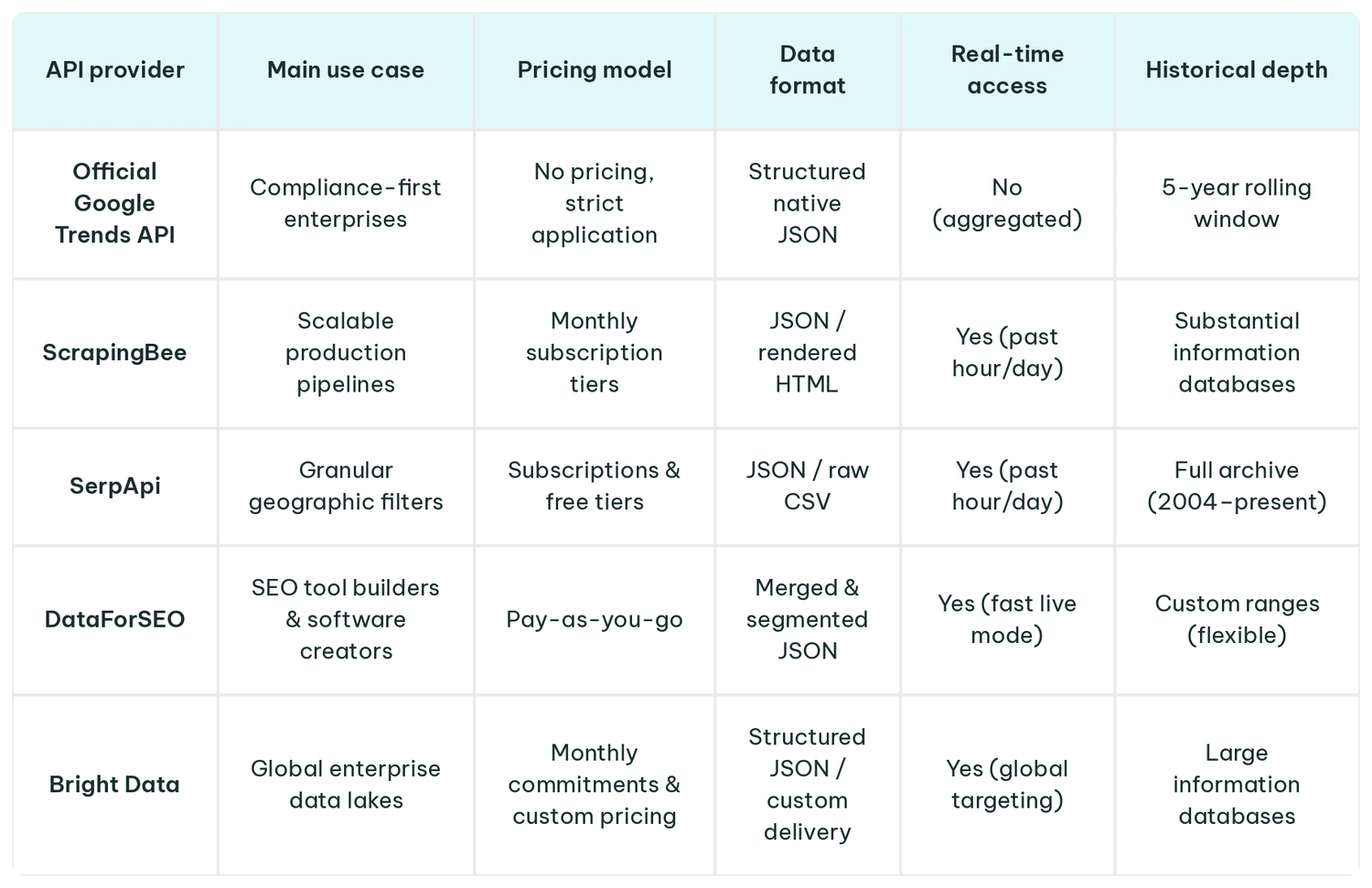
Quick Comparison of the Best Google Trends APIs
Which Google Trends API Is Best for You?
The best Google Trends API is the one that fits your usage and budget needs, so there’s no universal, one-size-fits-all verdict that states that any API solution is the number one choice. Businesses need to go through several factors, like the evaluation criteria presented at the beginning of the article, to start building their ideal API profile.
However, to make it easier to judge which of the 5 Google Trend API is better suited for you, here’s a quick summary of every solution paired with a main user profile.
- Official Google Trends API: For individuals who can get access to the official API and can develop custom solutions.
- ScrapingBee: For companies that need a reliable, hands-off API that’s easy to handle with proxies.
- SerpApi: For companies that rely on data accuracy, require highly granular filtering, and custom time-zone selections.
- DataForSEO: For budget-conscious SEO and SEM analytics teams building technical marketing strategies.
- Bright Data: For large SEO and content teams, data engineers, and marketing researchers working with large data sets on a global scale.
Conclusion
Process optimization is now a non-negotiable for virtually any business operating worldwide. But businesses that rely on data can gain a serious competitive advantage by automating their access to Google Trends to get accurate data and view trending searches in real time.
The trick is to pick the right Google Trends API that either integrates with your current stack or supports your growth strategy. The right API solution can help you quickly build internal alerts for brand search spikes and monitor shifting market sentiment to catch trends earlier than your competitors.
FAQ
Is there an official Google Trends API?
Yes, Google launched its official Google Trends API, which is currently in Alpha and only available to selected applicants. This solution allows authorized developers to access the API and build consistent datasets without relying on scraping. While the tool remains largely inaccessible, it’s already gained traction and favor in the industry.
Is the Google Trends API free?
Overall, yes, it’s free, but the tool is heavily restricted to be used by specific users. Even those with the right background still need to join the waitlist to get approved. In contrast, while ScrapingBee, SerpApi, DataForSEO, and Bright Data all have different pricing tiers, they’re accessible to anyone, and some either offer free trials or affordable plans.
Can I scrape Google Trends data legally?
That’s right, you can scrape publicly available information from Google Trends to compile highly accurate competitive analysis or index tracking. However, there’s a major focus on where the data is sourced and not intentionally disrupting Google’s server performance.
Some of the main ways many brands operate is by using a verified third-party scraping API, but it’s also recommended to follow best practices and review your data acquisition policies with specialists.
What’s the difference between the Google Trends API and the Google Search API?
Google Trends API and Google Search API may sound similar, but they’re not the same. The main difference between the two is that the Google Search API returns actual search engine results page (SERP) listings, descriptions, maps, and exact ranking URLs. On the other hand, the Google Trends API gives access to global trend data to help track a popularity index using specific keywords that change constantly.
Do I need proxies to scrape Google Trends?
Not necessarily, but if you try to write a basic script to scrape Google Trends straight from your device and ISP-issued IP address, Google will likely flag your IP and return an HTTP 429 Too Many Requests error. In some cases, you might experience CAPTCHA blocks or IP blocks.
To avoid this situation from happening, most professionals and SEO or developer teams choose reliable third-party proxy providers like IPRoyal. Proxies help protect your connections and access global content with a much lower risk of IP-related issues.
How fresh is Google Trends data through an API?
Data freshness depends on the provider, but the official API lags by about 48 hours. No provider will be able to get fresher data than the official API unless they supplement with data from another source.