Q3 2026 Update: Proxy Access, Usage Reports, Port Rules
Product newsDiscover what's new at IPRoyal in Q3: product-level proxy access, ISP and Datacenter usage reports, and updated port restrictions.


Justas Palekas
Managing your proxy orders should feel simple and organized. This quarter, we’ve focused on the parts of proxy management you use every day. That includes finding your active proxies faster, seeing how your traffic is used, and helping you run tasks with fewer blocks and CAPTCHAs.
We also shared our view on the future of web data at Big Data LDN 2026. Here are the most important updates for this quarter and what they mean for your workflow.
Every Active Proxy per Product in One Place
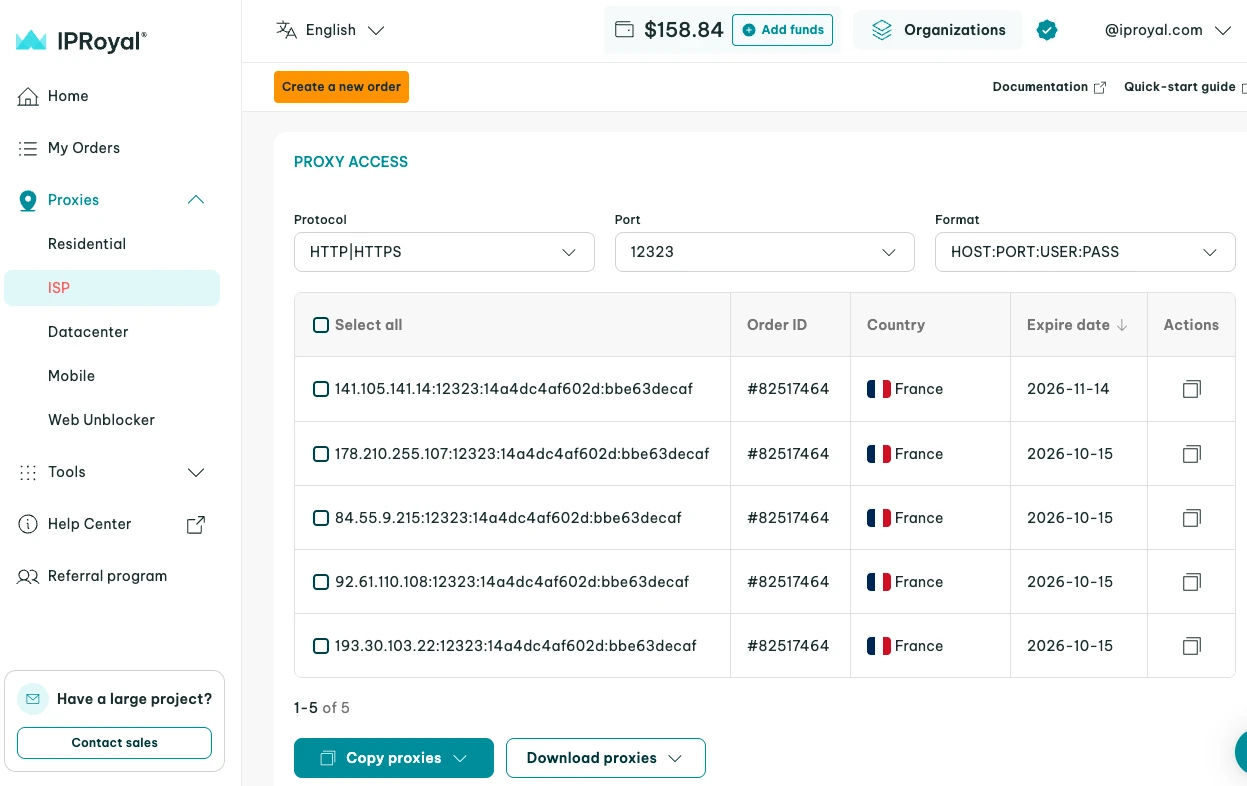
The ISP, Datacenter, and Dedicated Mobile Proxies dashboards now include a ‘Proxy Access’ section. It lists every active proxy you have for that product, regardless of which order it came from.
Instead of opening orders one at a time, you can review all your active proxies for a product at a glance. With each proxy’s location shown in the list, you can easily find the right option for a specific market or operation. Once you’ve found the right proxy, you can copy or download its credentials directly from the list.
This lets you connect the proxy to your tools or share it with a teammate exactly when you need it. You can also see expiration dates for each active proxy, so you can identify which ones are due for renewal and order in advance. As your order count grows, keeping track of your proxies stays simple.
Data Usage Reports for ISP & Datacenter Proxies
Data usage reports, already available for Residential Proxies , now cover Datacenter and ISP Proxies as well. For each order, you can see how much traffic was used, which proxy handled it, and which hostnames it reached.
With filters letting you narrow the view to a single IP or hostname, you can focus on a specific part of your setup.
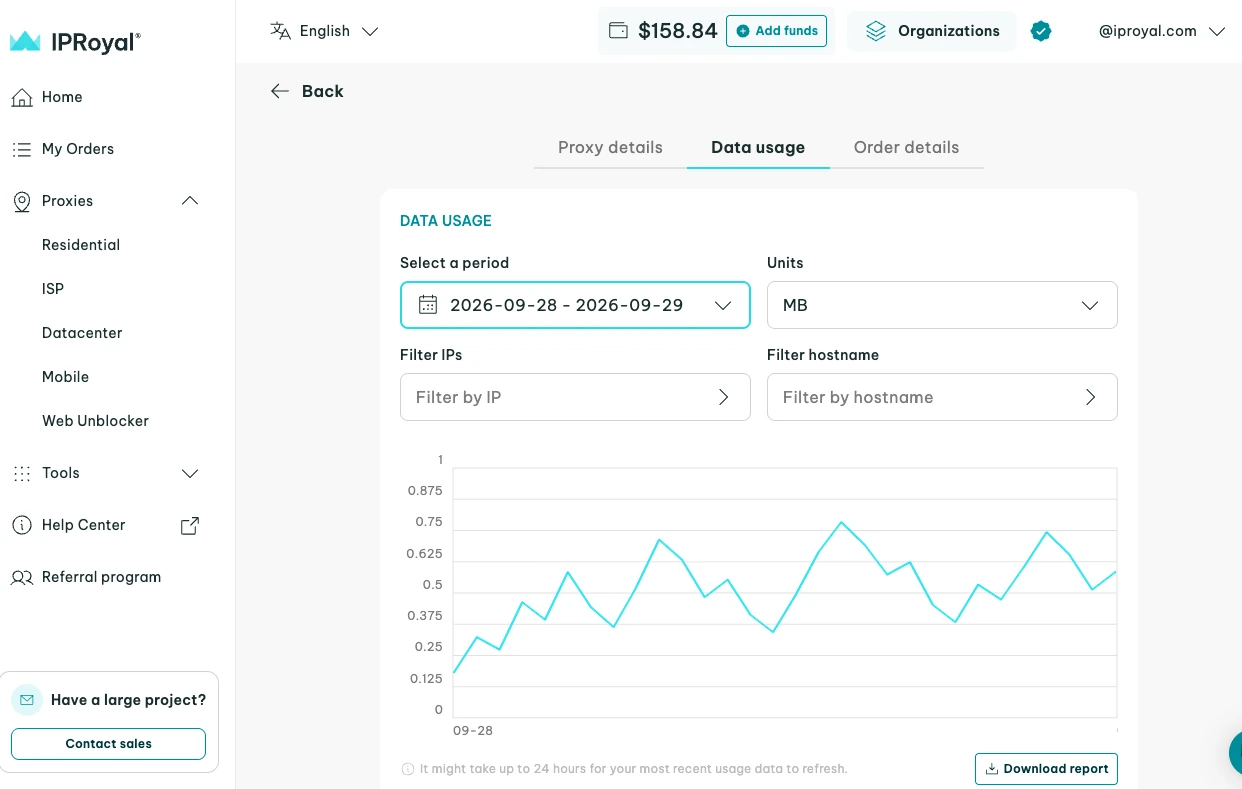
ISP and Datacenter Proxies orders include a traffic allowance under our fair usage policy . The report shows how close you are to that allowance, so you can add bandwidth before it affects your connection speed.
It also helps you see which targets get the most traffic, catch unusual activity early, and plan future orders based on how you’re actually using your proxies. When you need the data outside the dashboard, you can download the report as a CSV or TXT file to keep a record or share it with your team or clients.
Updated Port Access for Residential & Rotating Mobile Proxies
This quarter, we’ve updated the list of approved ports for Residential Proxies and Rotating Mobile Proxies. Sticking to these ports helps protect the IP pool you share with other clients, which means fewer blocks and CAPTCHAs.
Standard web ports, including 80 (HTTP) and 443 (HTTPS), remain open to all clients, so most workflows run as before. Additional ports become available after identity verification, and IPRoyal Support can review requests for other ports based on your use case.
If your setup uses HTTP or HTTPS, no action is needed. If it relies on other ports, you can check whether they’re on the approved list before connecting. That means:
- Checking the ports available for Residential Proxies and Mobile Proxies
- Verifying your identity to access the additional ports on the list
- Contacting IPRoyal Support with details about your use case for a port outside the list
Expanded Global Coverage for Datacenter Proxies
We’ve added Uruguay and Paraguay to our Datacenter Proxies pool, providing even more coverage across South America. That means you can now use Datacenter IPs to collect localized data, keep an eye on regional pricing, and test web content for users across 70 locations in total.
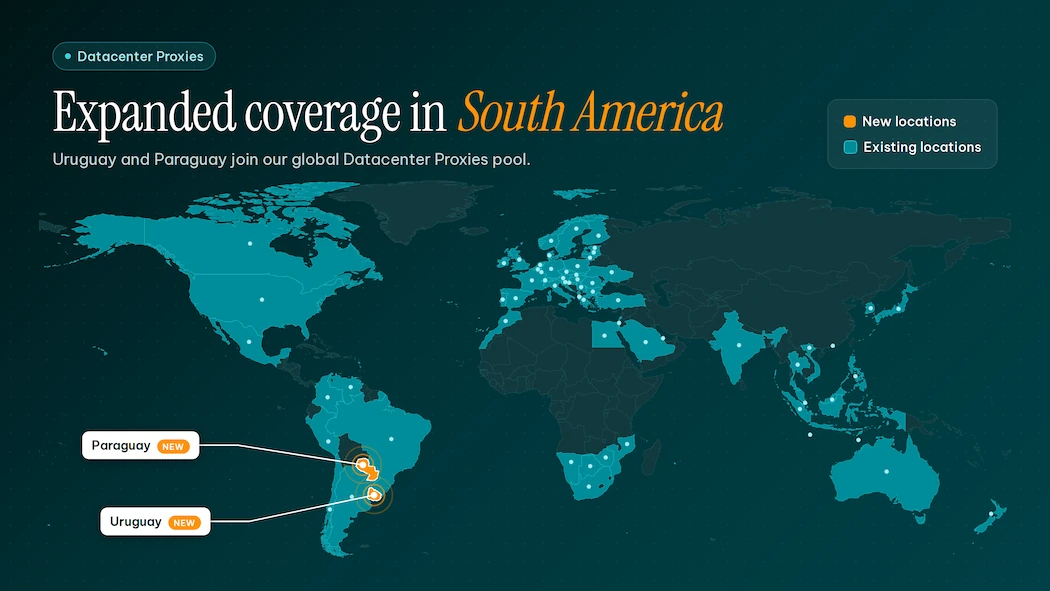
For teams already working in Latin America, the new locations give you more options for regional coverage. You can add them to your setup without changing how you manage your proxies.
IPRoyal Spoke at Big Data LDN 2026 to Help You Adapt to Changing Web Access
This September, our CPO, Vytautas Glambinskas, took the stage at Big Data LDN 2026 in London. In his talk, ‘ Access Denied: The Web’s New Default ,’ he explored how more websites are now blocking automated traffic and putting data behind logins as AI-generated answers lead to fewer clicks.
Vytautas also shared practical steps to help you prepare, from declaring how you collect data to using more than one source. This gives your traffic a better chance of being approved and keeps your operations running, even when a single website changes its access rules.
Smarter Proxy Management for the Rest of 2026
From a simplified view of active proxies to detailed usage reports and new Datacenter locations, Q3 was all about making your proxy management easier. Log in to your dashboard to check out the updates, or contact your account manager to see how they can fit your team’s workflow.
We’ll keep listening to your feedback as we plan our next updates, so share your suggestions to help us improve your experience with IPRoyal.