'%20fill-rule='evenodd'%20clip-rule='evenodd'%3e%3cpath%20d='M21.9952%2012.2202c-.0019-.6851-.108-1.3688-.2269-2.0439h-9.6238v3.8768h5.4928c-.1125.6103-.3507%201.1919-.6999%201.7094-.3492.5175-.8022.9601-1.3315%201.3009v2.5105h3.3479c1.005-.9487%201.7951-2.0936%202.3191-3.3605.524-1.2668.7701-2.6273.7223-3.9932Z'%20fill='%234285F4'/%3e%3cpath%20d='M12.1415%2021.9954c2.5027.0755%204.9397-.7912%206.8092-2.4216l-3.3025-2.5105c-1.031.6482-2.2362.9808-3.4613.9553-1.266-.0247-2.49275-.4349-3.50967-1.1735-1.01691-.7385-1.81874-1.8128-2.20993-2.9916l-3.4048.0439v2.5438c.84005%201.6575%202.13352%203.0542%203.73642%204.0348%201.60291.9806%203.45238%201.5066%205.34258%201.5194Z'%20fill='%2334A853'/%3e%3cpath%20d='M6.46884%2013.8531c-.42382-1.2324-.42382-2.4897%200-3.7221V7.55469H3.06422C2.36423%208.93568%202%2010.4564%202%2011.998c0%201.5416.36423%203.0624%201.06422%204.4434l3.40462-2.5883Z'%20fill='%23FBBC05'/%3e%3cpath%20d='M12.1415%206.02167c1.4529-.02643%202.8572.46854%203.9039%201.45519l2.9053-2.87706c-1.8433-1.69203-4.2823-2.62308-6.8092-2.59936-1.8902.01282-3.73967.5388-5.34258%201.5194-1.6029.9806-2.89637%202.37735-3.73642%204.03478l3.40462%202.58828c.39118-1.17886%201.1478-2.20915%202.16472-2.94772%201.01691-.73857%202.24366-1.14874%203.50966-1.17351Z'%20fill='%23EA4335'/%3e%3c/g%3e%3c/svg%3e)

Do you need to manage multiple social media profiles without linking them together? Are you also looking to simulate mobile devices from desktops?
Wade X is a fairly new anti-detect browser that is quickly gaining popularity. Aside from features offered by most similar solutions, a few things make it stand out.
A great example is the built-in mobile emulation feature, so you can create and use mobile profiles straight from a desktop. It also offers a proxy manager that allows importing proxy lists, checking, and removing non-working connections.
Using Wade X is easy, because its UX design is streamlined and beginner-friendly. In addition to showing you how to create Wade X profiles and add proxies to them, we will outline its main features and benefits.
What Is Wade X?
Wade X is a feature-rich anti-detect browser, so prepare for the 28-step introduction tutorial that walks you through it. Everything starts at the setup, where you can customize the interface to suit your needs. It also offers the option to optimize the app for virtual machines or low-spec computers.
Here’s a quick overview of the key features:
- Optimized for multi-accounting
Wade X ensures full browser profile isolation. It offers real browser fingerprints, that you can also modify as needed. It also manages cookies so that your profiles appear as genuine users.
- Proxy support
You can choose a proxy connection type at the very beginning of the account creation process. Wade X supports SOCKS5, HTTP, proxies with SSH encryption, and it can even connect via the TOR network.
- Easy management
You can import proxies, cookies, and profiles at once to save time. You can also use Wade X shortcuts to simplify the most tedious tasks. You can add up to six shortcuts to a profile to access its features with a single click.
- Automation features
Wade X supports Selenium, Puppeteer, and Playwright browser automation frameworks. If you know your way around Python programming, it significantly expands your capabilities.
How To Set up IPRoyal Proxies With Wade X
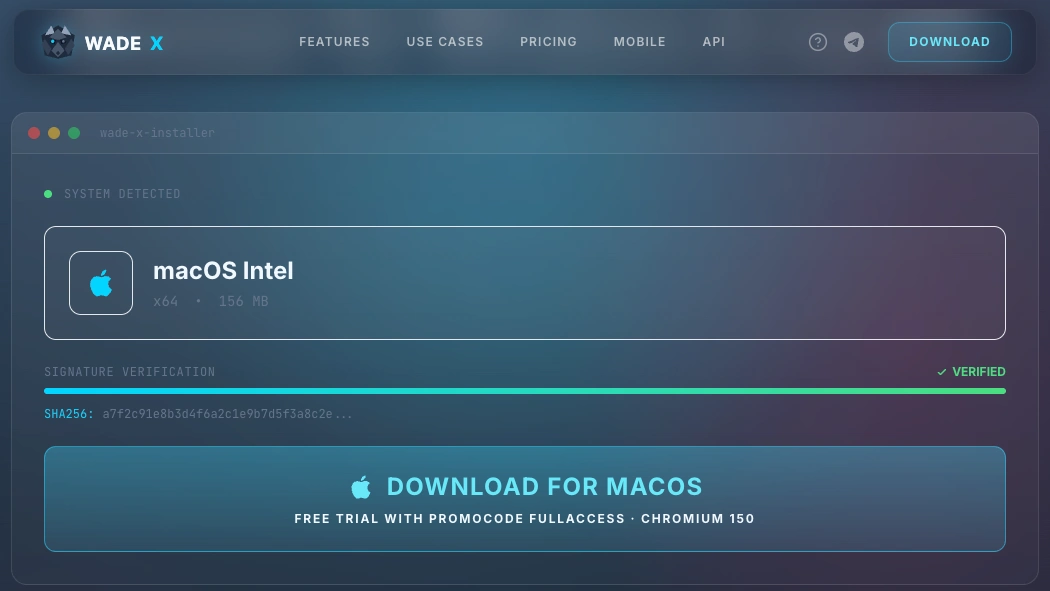
1. Visit the Wade X website and download it for your operating system (macOS or Windows). Run the file and install it.
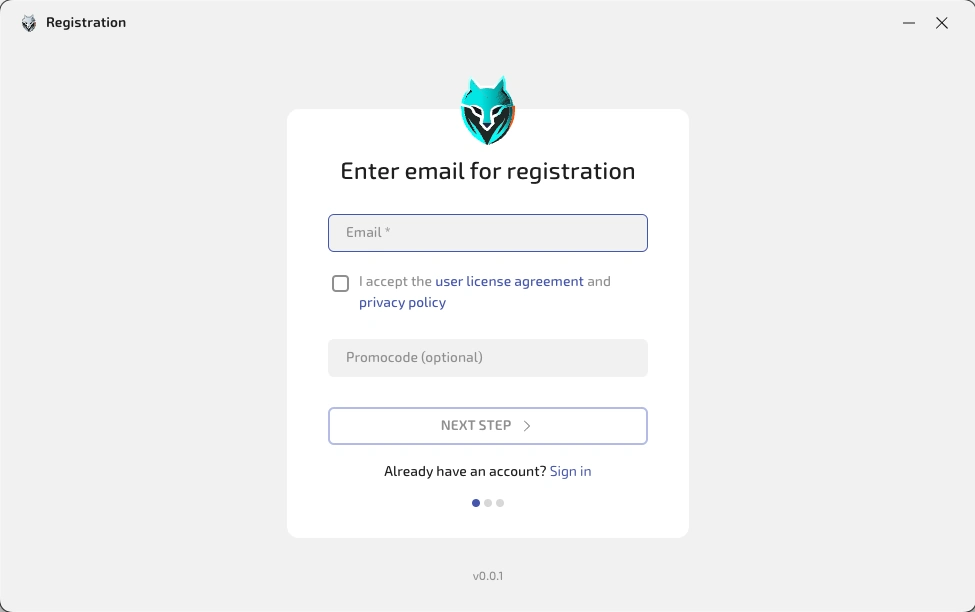
2. Launch the browser and sign up with your email, then log in.
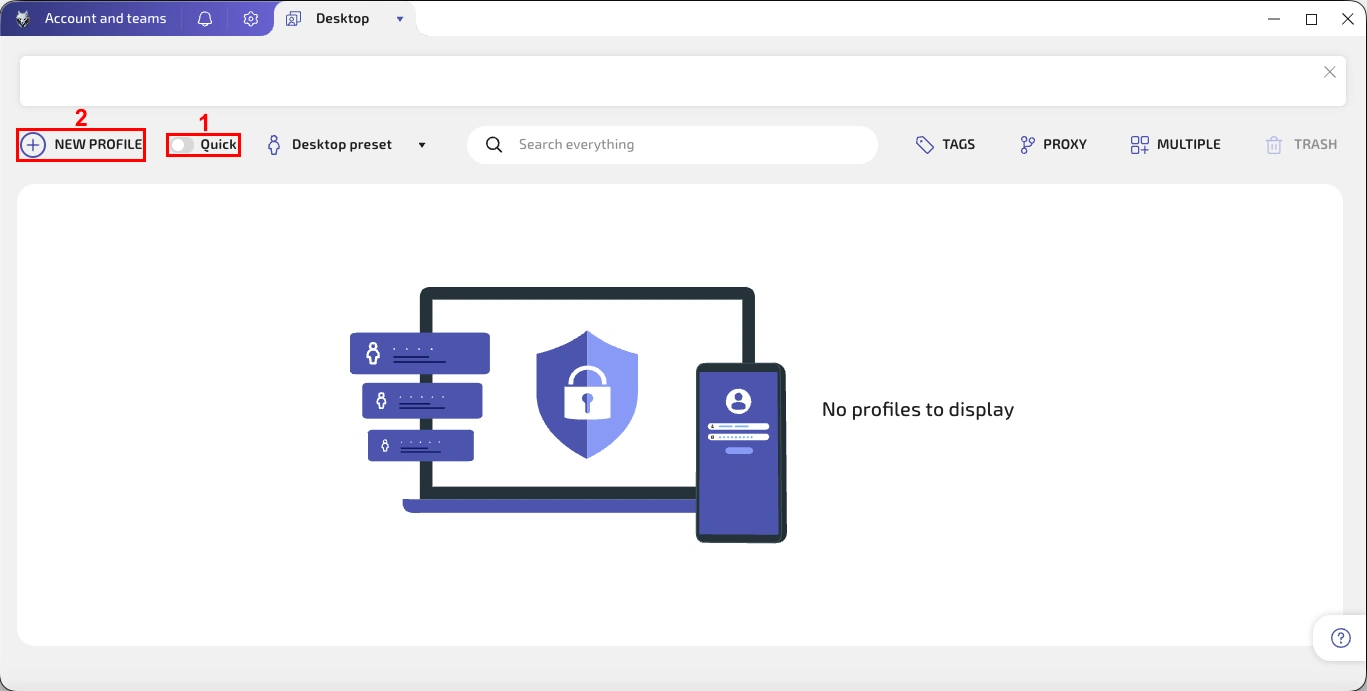
3. Deselect the 'Quick' slide (1) and click on the 'New Profile' (2) in the upper left corner.
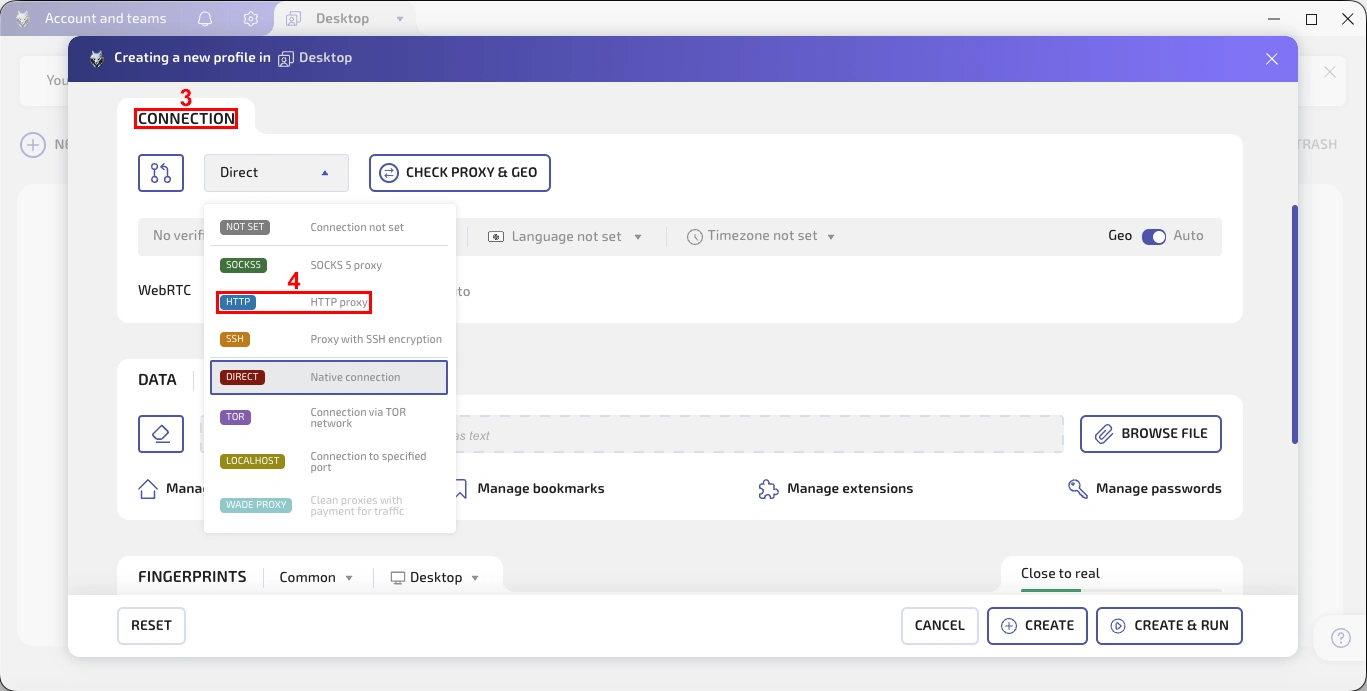
4. Locate the 'Connection' section (3) and select a desired proxy type from the drop-down menu (4). We will use an HTTP proxy, but you can also choose a SOCKS5 proxy.
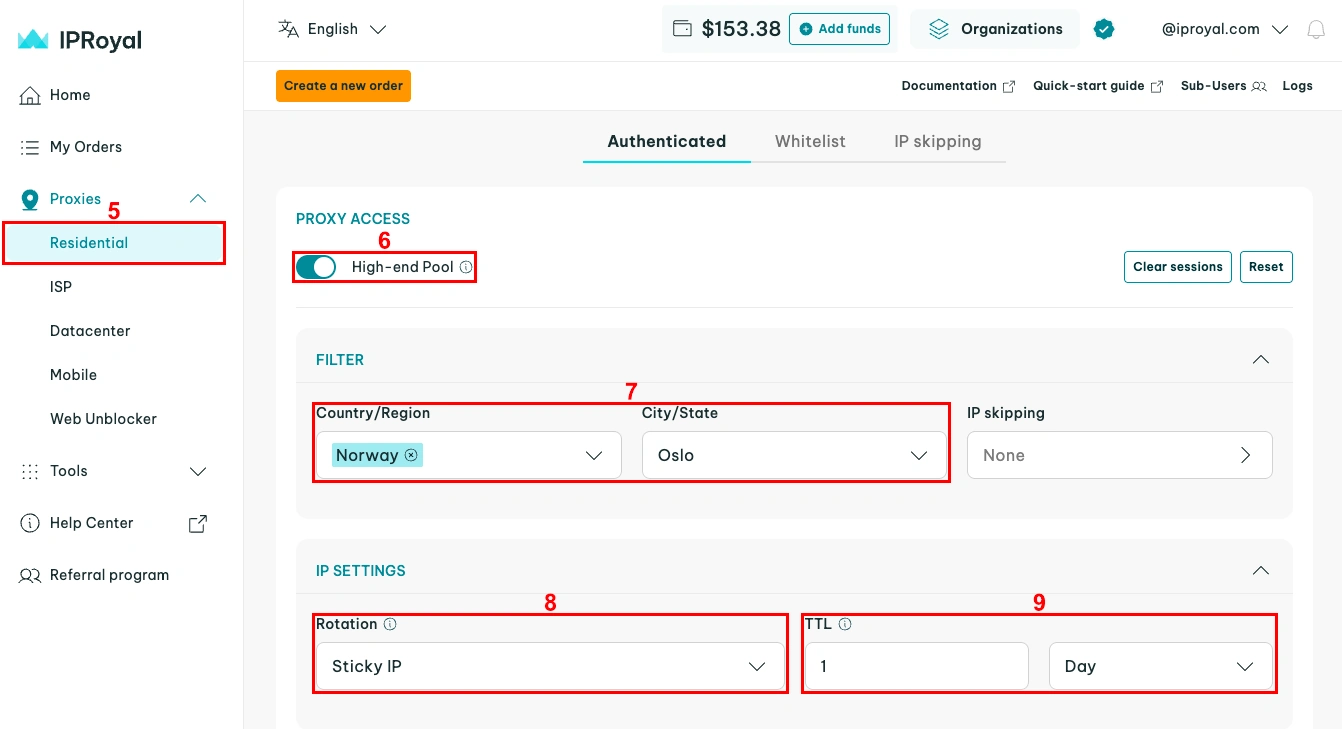
5. Now go to your IPRoyal dashboard. Select 'Residential' (5) and scroll down a bit to define proxy details. We use the High-end Pool (6) proxy in Oslo, Norway (7) with a sticky IP address (8) that lasts for one day (9).
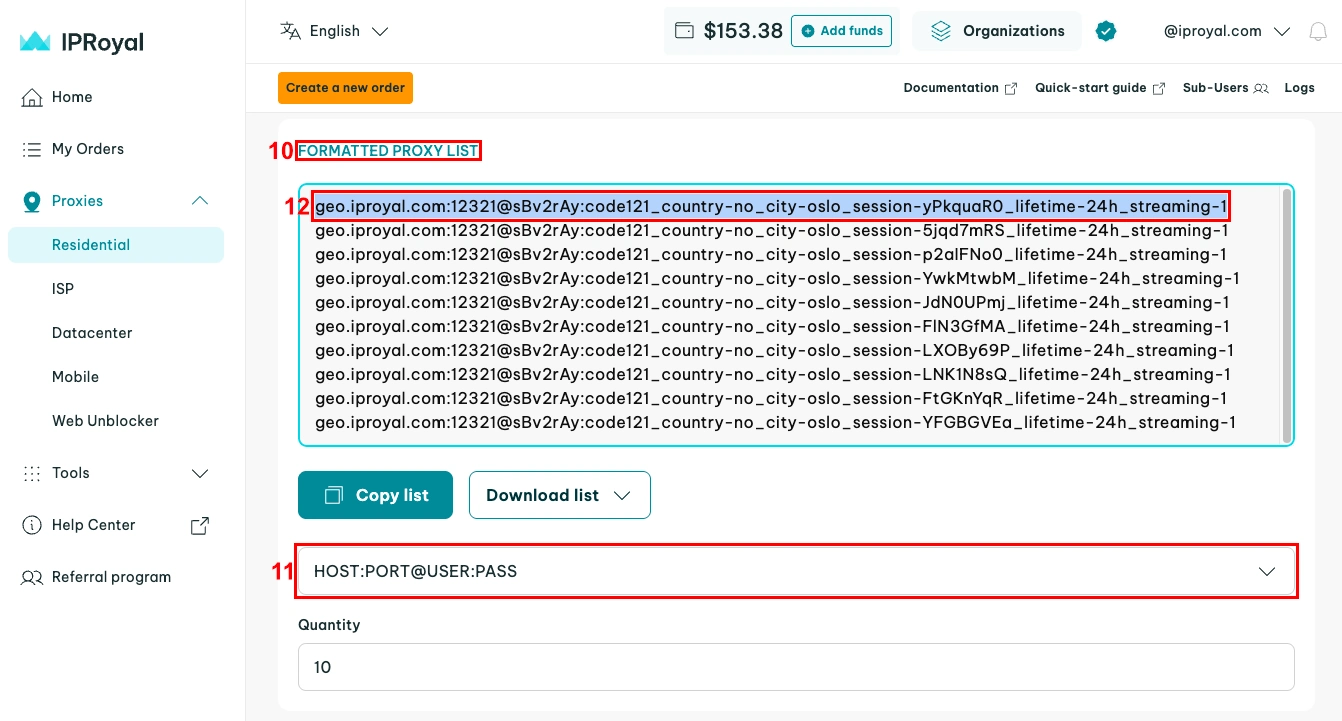
6. Scroll down to the 'Formatted Proxy List' section (10) and set the format (11) suitable for Wade X - host:port@user:pass. Each line here is a unique set of credentials. Copy (12) one to your clipboard.
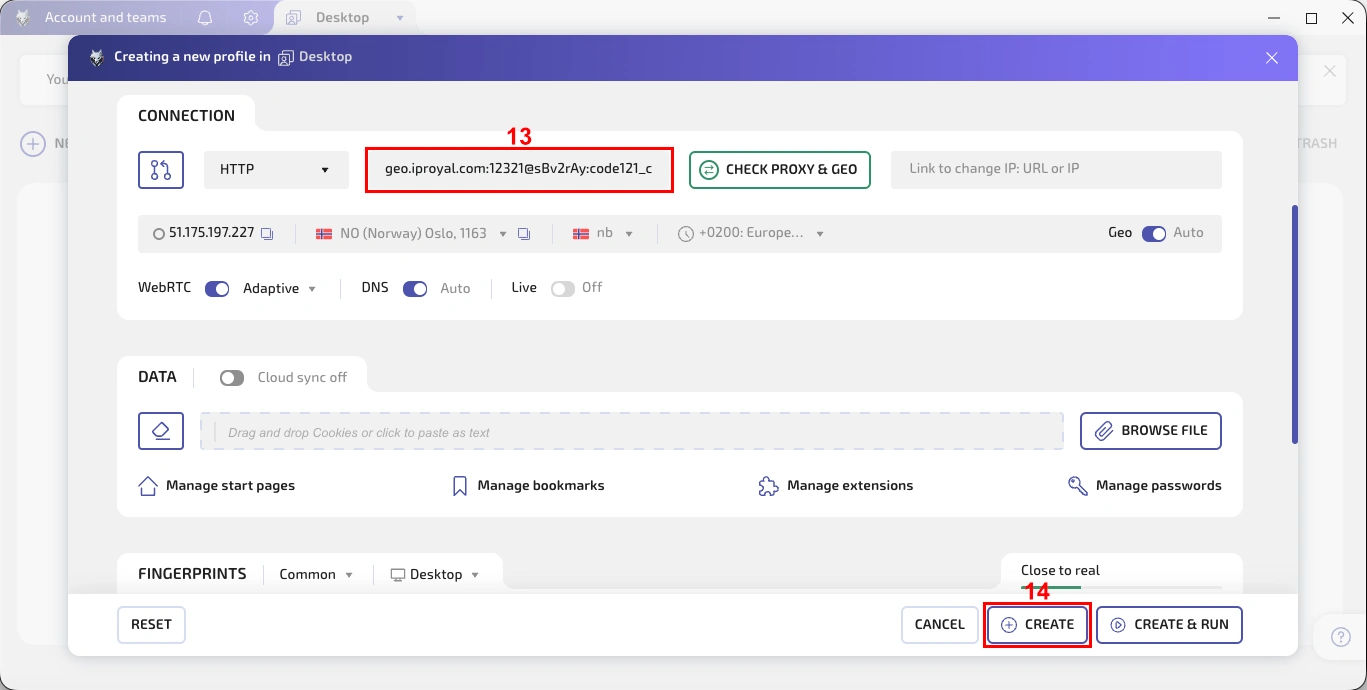
7. Go back to Wade X and paste (13) your credentials. After a quick check-up, you’ll get additional information about your IP address. Modify any other profile details, then click the 'Create' (14) button in the bottom-right corner.
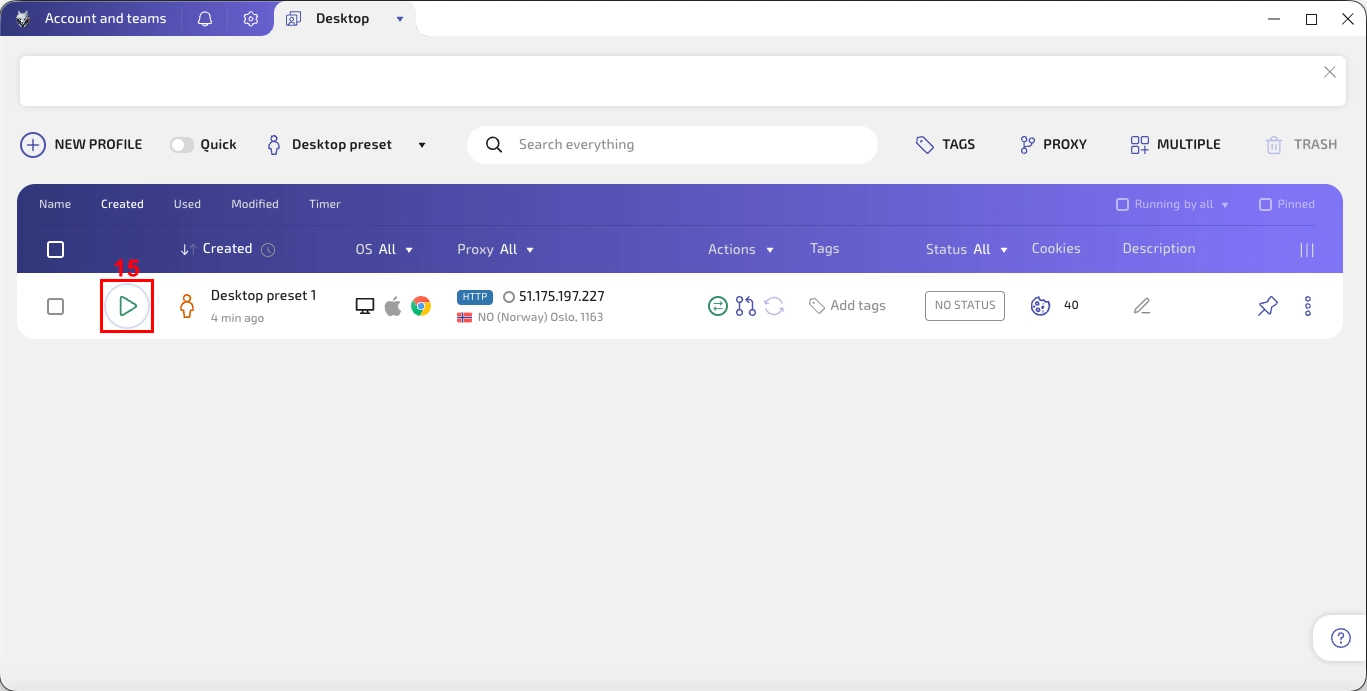
8. Click the green button (15) on the left to run the profile.
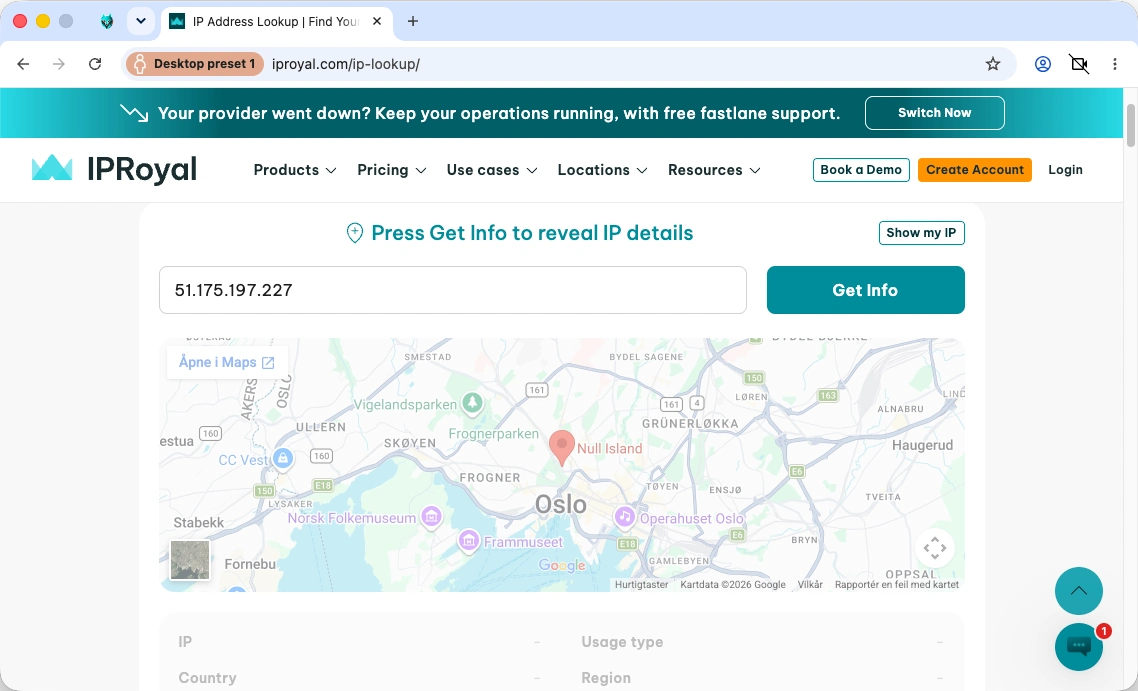
9. Visit our IP Lookup page or a similar website to check if your profile is using the proxy.
Why IPRoyal Proxies Fit Perfectly With Wade X
Anti-detect browsers require many proxies to keep their profiles looking authentic. If you seek to manage, for example, 50 social media profiles separately, you must assign a unique IP address to each.
Here’s why IPRoyal residential proxies are a perfect fit for Wade X and other anti-detect browsers:
- Non-expiring residential proxy traffic
- Access to our pool of 64M+ genuine residential IPs in 195 countries
- Pay-as-you-go and subscription plans
- Country, state, and city-level geo-targeting
- 24/7 live support via chat and email
Final Thoughts
Along with great customization options, Wade X also offers highly competitive pricing and a free trial. Plans are fully customizable, starting at just $10/month (with 10 profiles, unlimited users, cloud profiles, and warmup). The $160/month plan includes unlimited teams, mobile emulation, API access, profile backups, and more.