AdsPower Review: Features, Pricing, Use Cases, and How It Works
Software comparisonsExplore AdsPower's features, pricing, browser fingerprinting, proxy support, and account management capabilities.


Milena Popova
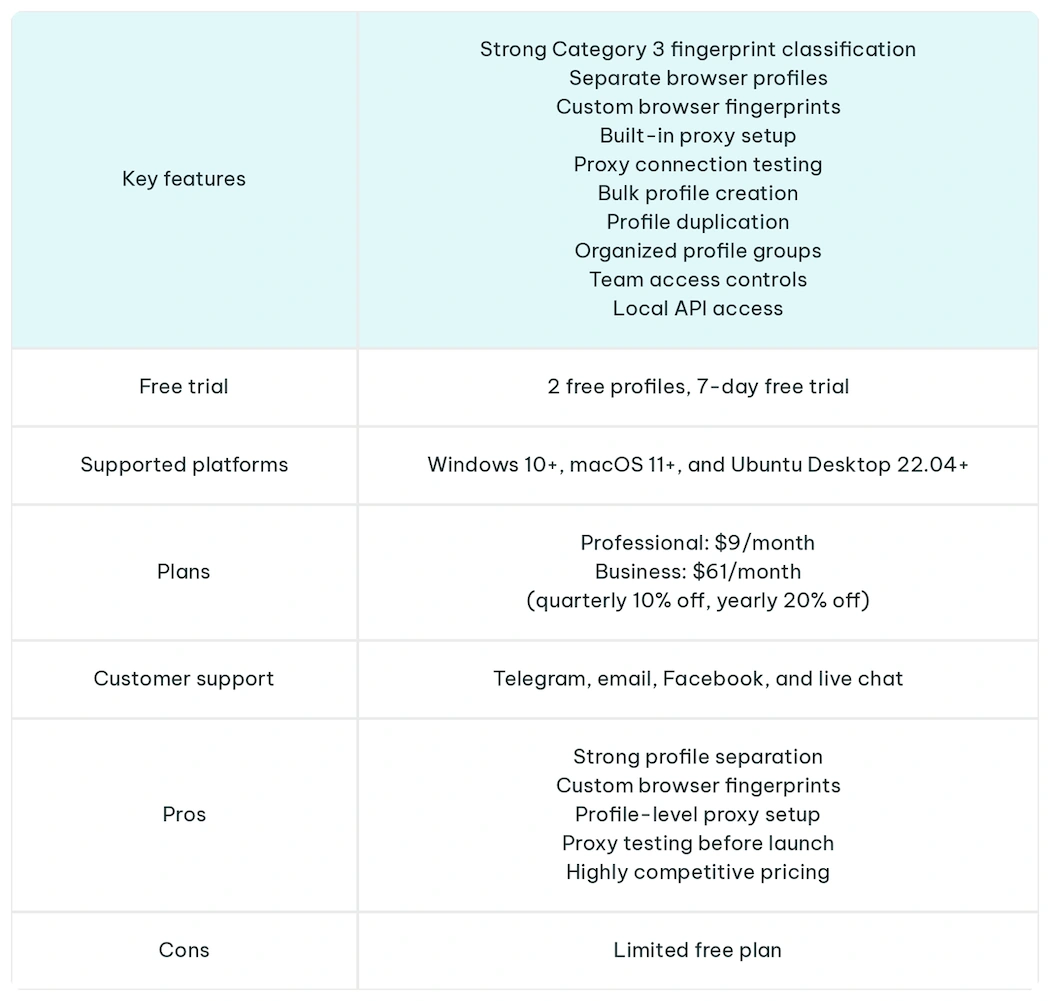
AdsPower is an anti-detect browser for businesses and individuals who need to use separate online accounts across platforms like TikTok, Instagram, Shopify, and other sites. Trusted by over 9M+ users, it lets you create separate browser environments so each profile can have its own cookies, fingerprint settings, proxy configuration, and session history.
That’s important if you manage accounts for affiliate marketing, social media, ecommerce, ad verification, SEO, or other browser-based workflows where one messy setup can break the whole operation.
This independent review explores AdsPower’s key features, use cases, pricing, and overall suitability for different account management workflows.
Quick Overview
How Does AdsPower Work?
AdsPower creates isolated browser profiles using two browser cores: SunBrowser, which is Chromium-based, and FlowerBrowser, which is Firefox-based.
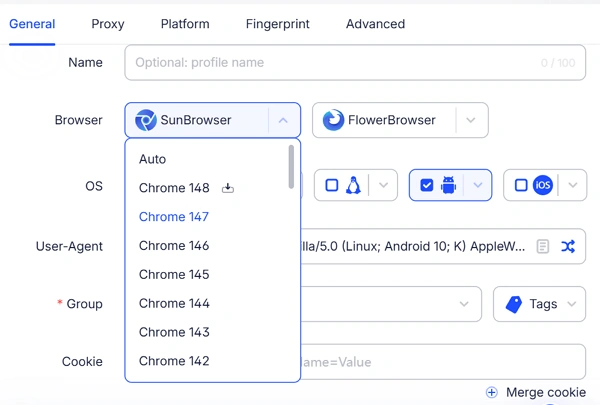
You sign up on the AdsPower website, download the app for Windows, macOS, or Linux, then create a new profile for each account you want to manage.
Each browser profile can mimic Windows, macOS, Android, or iOS environments. AdsPower also supports browser automation through integrations like OpenClaw and Chrome DevTools Protocol (CDP) , enabling AI agents to perform browser tasks within isolated sessions.
What sets AdsPower apart from other anti-detect browsers is its robust fingerprint technology. In a 2024 Browser Polygraph analysis , researchers placed AdsPower as the only named anti-detect browser in Category 3, which the study defined as browsers that adopt the selected browser’s JavaScript engine and fingerprint with each user-agent selection.
Key AdsPower Features for Managing Separate Browser Environments
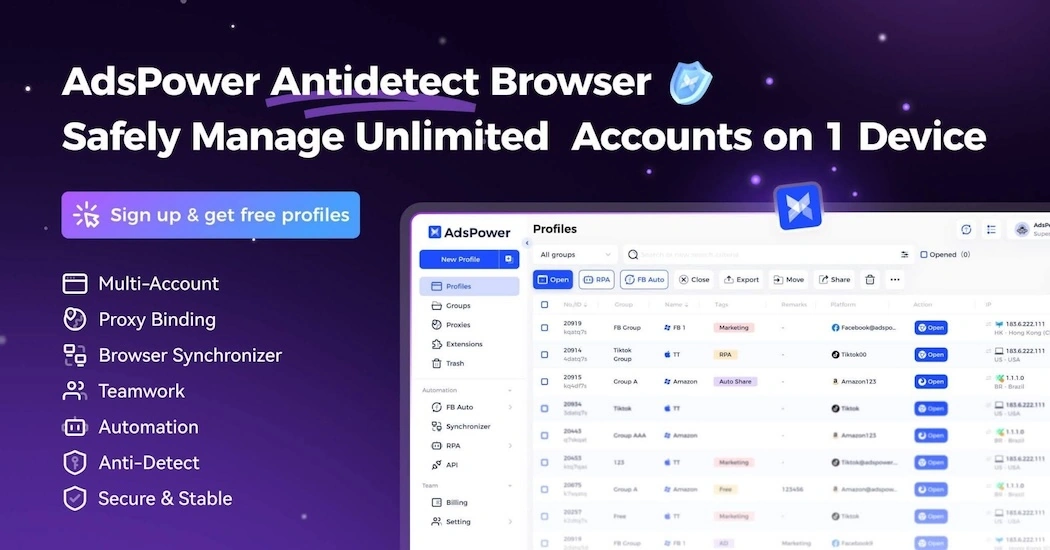
Isolated Browser Profiles
Each profile works as a separate browser environment. The profile keeps its own cookies, browsing history, bookmarks, saved passwords, local storage, and session data instead of sharing them with every other account you manage.
Profile-Level Proxy Configuration
You can choose a custom proxy for each profile, enter the proxy credentials from your provider, and test the connection before opening the browser.
Batch Profile Creation
If you need to manage a large number of profiles, AdsPower lets you create them in batches instead of building each one manually.
Profile Duplication
You can copy an existing profile when you need a similar setup without having to rebuild everything from scratch.
Fingerprint Configuration
AdsPower lets you customize more than 20 options and 50+ browser parameters, including user agent, operating system, time zone, language, WebRTC, Canvas, WebGL, fonts, screen details, and device-related signals.
Browser Grouping
If you manage multiple profiles at once, you can group them by client, platform, campaign, store, market, or research project. This approach makes the account structure easier to manage, especially when different profiles need different proxies or access permissions.
Local API for Profile Operations
AdsPower’s Local API can help you create and manage profiles programmatically. This is useful when browser profile management is part of a larger workflow rather than a task you handle manually inside the dashboard.
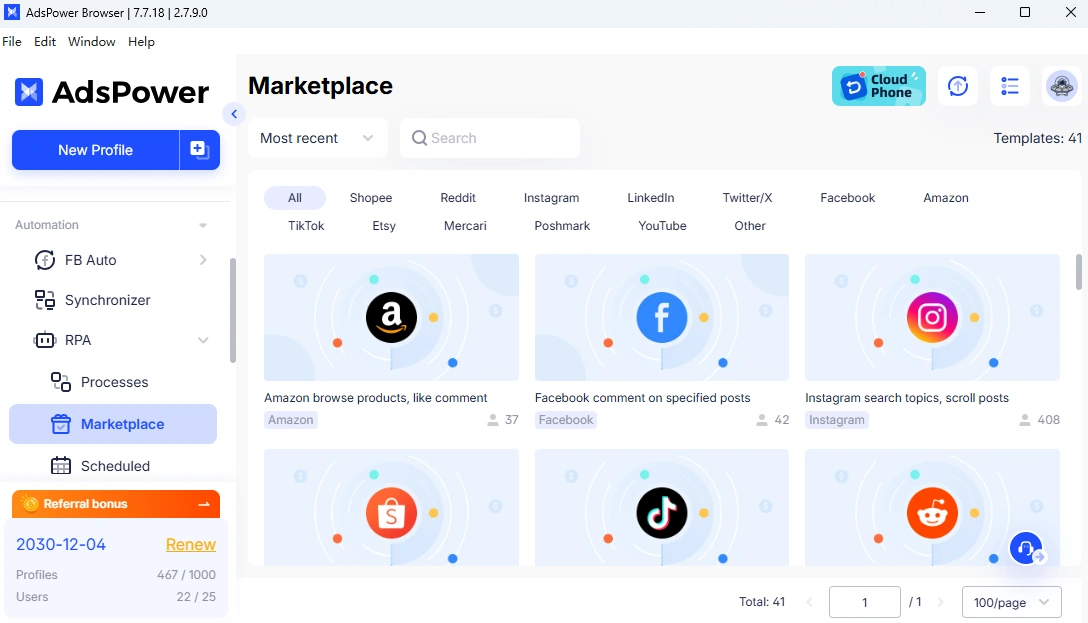
Automation Inside Browser Profiles
AdsPower automation can run within a controlled browser profile instead of a generic browser session.
Who Is AdsPower Best For?
AdsPower is used by more than 9 million users to manage accounts across different platforms. It’s the most suitable solution for:
Affiliate Marketers
Affiliate marketers work across different campaign environments. You may be testing offers in different markets, checking landing pages from specific locations, logging into traffic-source dashboards, or managing accounts that shouldn’t share the same browser history.
AdsPower helps by giving each campaign environment its own browser profile. Each profile can keep:
- The account’s login session
- Browser fingerprint settings
- The proxy connection
- Cookies and local storage
- The browsing history tied to that campaign
That means you don’t have to constantly log in and out, clear cookies, change proxy settings by hand, or try to remember which browser window belongs to which campaign.
Social Media Managers and Agencies
Social media agencies deal with a more serious version of the same separation problem. You may have several people working across client accounts and brand profiles. Without a central profile system, access can end up scattered across personal laptops, shared spreadsheets, saved browser sessions, and individual team members’ devices.
AdsPower lets you give each client its own browser profile or group of profiles. That makes it easier to prevent one client’s accounts from mixing with another client’s browser history.
For your team, that means:
- Fewer accidental account mix-ups
- Cleaner client separation
- Less manual login switching
- Controlled team access
- Profile-level proxy use
This is especially useful when more than one person needs to work on the same client account. Instead of asking every team member to log in on their own device or in their own browser, you can manage access through shared profiles and team permissions.
Ecommerce Sellers
You may use one profile for your storefront, another for marketplace research, and separate profiles for each store if you manage more than one brand or sales channel.
AdsPower helps you keep each ecommerce workflow in its own profile.
This approach makes all operations easier to manage. You can open the profile associated with a specific store or research task instead of clearing cookies, switching proxies, or guessing which browser window has the correct login session.
Ad Verification Teams
Ad verification work is location-sensitive. You cannot reliably check how an ad appears in Germany, Austria, and the United States from the same browser session. Old cookies, previous searches, browser history, and location signals can affect what you see.
With separate ad profiles in AdsPower, you can keep apart:
- Regional ad checks
- Client-specific campaign reviews
- Search ad monitoring
- Social ad placement checks
- Landing page tests
- Competitor ad research
That makes the review process cleaner. You can open the profile that matches the market or client you are checking instead of clearing cookies, changing proxies, or rebuilding the browser environment every time.
Web Scraping and Research Teams
Your team can keep separate AdsPower profiles for logged-in research that should not share cookies with the rest of the workflow. The same applies to web scraping setups where each task needs its own browser context.
AdsPower can help separate:
- Localized page checks
- Competitor monitoring
- Price tracking
- Product availability research
- SERP reviews
- Logged-in research sessions
- Repeat visits to the same target site
The Bottom Line
AdsPower is an ideal solution for professionals who manage multiple online accounts without browser environments interfering with one another. Its profile isolation, fingerprint customization, and team management features make it suitable for affiliate marketing, ecommerce, social media management, and research workflows.
What stands out the most is the balance between usability and control. With AdsPower, new users can quickly create isolated browser profiles, while professionals can leverage automation tools, API access, and extensive fingerprint settings. It’s a feature-rich platform that can easily scale from a few profiles to large, team-based operations.
FAQ
Does AdsPower replace a proxy?
No. AdsPower does not replace a proxy. AdsPower manages the browser environment, including profiles, cookies, fingerprints, and session data. A proxy controls the IP address and location websites see. For highly sensitive workflows, you need both layers to work together.
What type of proxy works best with AdsPower?
The best proxy depends on the task. Residential proxies fit location-sensitive research and account workflows. ISP proxies are useful when you need stable sessions. Datacenter proxies can work for lower-risk, speed-focused tasks. Mobile proxies may fit mobile-first workflows where mobile network signals matter.
Can AdsPower run on Android or iPhone?
AdsPower is a desktop app for Windows, macOS, and Linux. While it does not run as a native Android or iPhone app, it can create browser profiles that perfectly mimic Android or iOS environments.