Spotify Proxies
Spotify is one of the largest music streaming services, but it's still limited in some countries, and ISPs are blocking Spotify. With reliable Spotify proxies, you can overcome most restrictions and improve your listening experience without putting your Spotify account at risk
'%20fill-rule='evenodd'%20clip-rule='evenodd'%3e%3cpath%20d='M21.9952%2012.2202c-.0019-.6851-.108-1.3688-.2269-2.0439h-9.6238v3.8768h5.4928c-.1125.6103-.3507%201.1919-.6999%201.7094-.3492.5175-.8022.9601-1.3315%201.3009v2.5105h3.3479c1.005-.9487%201.7951-2.0936%202.3191-3.3605.524-1.2668.7701-2.6273.7223-3.9932Z'%20fill='%234285F4'/%3e%3cpath%20d='M12.1415%2021.9954c2.5027.0755%204.9397-.7912%206.8092-2.4216l-3.3025-2.5105c-1.031.6482-2.2362.9808-3.4613.9553-1.266-.0247-2.49275-.4349-3.50967-1.1735-1.01691-.7385-1.81874-1.8128-2.20993-2.9916l-3.4048.0439v2.5438c.84005%201.6575%202.13352%203.0542%203.73642%204.0348%201.60291.9806%203.45238%201.5066%205.34258%201.5194Z'%20fill='%2334A853'/%3e%3cpath%20d='M6.46884%2013.8531c-.42382-1.2324-.42382-2.4897%200-3.7221V7.55469H3.06422C2.36423%208.93568%202%2010.4564%202%2011.998c0%201.5416.36423%203.0624%201.06422%204.4434l3.40462-2.5883Z'%20fill='%23FBBC05'/%3e%3cpath%20d='M12.1415%206.02167c1.4529-.02643%202.8572.46854%203.9039%201.45519l2.9053-2.87706c-1.8433-1.69203-4.2823-2.62308-6.8092-2.59936-1.8902.01282-3.73967.5388-5.34258%201.5194-1.6029.9806-2.89637%202.37735-3.73642%204.03478l3.40462%202.58828c.39118-1.17886%201.1478-2.20915%202.16472-2.94772%201.01691-.73857%202.24366-1.14874%203.50966-1.17351Z'%20fill='%23EA4335'/%3e%3c/g%3e%3c/svg%3e)

Buy Spotify Proxies

ISP
-
Unlimited Sessions
-
99.9% Uptime
-
Premium ISP Providers
-
Not Shared
-
SOCKS5 Supported
Most popular

Rotating Residential
-
195 Countries Available
-
Traffic Never Expires
-
SOCKS5 Supported
-
City/State Targeting
-
Flexible Rotation

Datacenter
-
Unlimited Sessions
-
99.9% Uptime
-
Not Shared
-
40+ Locations
-
SOCKS5 Supported

Mobile
-
Unlimited Bandwidth
-
4.5M+ Residential IPs
-
Auto-Rotate Toggle
-
API Access
-
5G/4G/3G Support
'/%3e%3cpath%20d='M141.524%2072.1499L284.62%2072.1499L284.62%2083.9994L141.524%2083.9994L141.524%2072.1499Z'%20fill='url(%23paint1_linear_925_20521)'/%3e%3cpath%20d='M284.62%2066.6206L427.716%2066.6206L427.716%2083.9998L284.62%2083.9999L284.62%2066.6206Z'%20fill='url(%23paint2_linear_925_20521)'/%3e%3cpath%20d='M427.716%2057.1416L569.24%2057.1416L569.24%2084.0004L427.716%2084.0005L427.716%2057.1416Z'%20fill='url(%23paint3_linear_925_20521)'/%3e%3cpath%20d='M569.238%2047.9248L710.761%2047.9248L710.761%2083.9999L569.238%2083.9999L569.238%2047.9248Z'%20fill='url(%23paint4_linear_925_20521)'/%3e%3cpath%20d='M710.763%2036.6021L852.287%2036.602L852.287%2084L710.763%2084L710.763%2036.6021Z'%20fill='url(%23paint5_linear_925_20521)'/%3e%3cpath%20d='M852.285%2025.8057L995.381%2025.8057L995.381%2083.9998L852.285%2083.9998L852.285%2025.8057Z'%20fill='url(%23paint6_linear_925_20521)'/%3e%3cpath%20d='M995.381%2018.4326L1138.48%2018.4326L1138.48%2083.9998L995.381%2083.9998L995.381%2018.4326Z'%20fill='url(%23paint7_linear_925_20521)'/%3e%3crect%20x='1138.48'%20width='141.523'%20height='83.9997'%20fill='url(%23paint8_linear_925_20521)'/%3e%3c/g%3e%3cdefs%3e%3clinearGradient%20id='paint0_linear_925_20521'%20x1='70.7617'%20y1='77.0503'%20x2='70.7449'%20y2='84.1596'%20gradientUnits='userSpaceOnUse'%3e%3cstop%20stop-color='%23008C99'%20stop-opacity='0'/%3e%3cstop%20offset='1'%20stop-color='%232DD8E1'/%3e%3c/linearGradient%3e%3clinearGradient%20id='paint1_linear_925_20521'%20x1='213.072'%20y1='73.2156'%20x2='213.032'%20y2='84.2471'%20gradientUnits='userSpaceOnUse'%3e%3cstop%20stop-color='%23008C99'%20stop-opacity='0'/%3e%3cstop%20offset='1'%20stop-color='%232DD8E1'/%3e%3c/linearGradient%3e%3clinearGradient%20id='paint2_linear_925_20521'%20x1='356.168'%20y1='68.1836'%20x2='356.082'%20y2='84.3629'%20gradientUnits='userSpaceOnUse'%3e%3cstop%20stop-color='%23008C99'%20stop-opacity='0'/%3e%3cstop%20offset='1'%20stop-color='%232DD8E1'/%3e%3c/linearGradient%3e%3clinearGradient%20id='paint3_linear_925_20521'%20x1='498.478'%20y1='59.5572'%20x2='498.27'%20y2='84.5605'%20gradientUnits='userSpaceOnUse'%3e%3cstop%20stop-color='%23008C99'%20stop-opacity='0'/%3e%3cstop%20offset='1'%20stop-color='%232DD8E1'/%3e%3c/linearGradient%3e%3clinearGradient%20id='paint4_linear_925_20521'%20x1='639.999'%20y1='51.1693'%20x2='639.625'%20y2='84.7503'%20gradientUnits='userSpaceOnUse'%3e%3cstop%20stop-color='%23008C99'%20stop-opacity='0'/%3e%3cstop%20offset='1'%20stop-color='%232DD8E1'/%3e%3c/linearGradient%3e%3clinearGradient%20id='paint5_linear_925_20521'%20x1='781.525'%20y1='40.8649'%20x2='780.878'%20y2='84.982'%20gradientUnits='userSpaceOnUse'%3e%3cstop%20stop-color='%23008C99'%20stop-opacity='0'/%3e%3cstop%20offset='1'%20stop-color='%232DD8E1'/%3e%3c/linearGradient%3e%3clinearGradient%20id='paint6_linear_925_20521'%20x1='923.833'%20y1='31.0395'%20x2='922.869'%20y2='85.2'%20gradientUnits='userSpaceOnUse'%3e%3cstop%20stop-color='%23008C99'%20stop-opacity='0'/%3e%3cstop%20offset='1'%20stop-color='%232DD8E1'/%3e%3c/linearGradient%3e%3clinearGradient%20id='paint7_linear_925_20521'%20x1='1066.93'%20y1='24.3295'%20x2='1065.71'%20y2='85.3468'%20gradientUnits='userSpaceOnUse'%3e%3cstop%20stop-color='%23008C99'%20stop-opacity='0'/%3e%3cstop%20offset='1'%20stop-color='%232DD8E1'/%3e%3c/linearGradient%3e%3clinearGradient%20id='paint8_linear_925_20521'%20x1='1209.24'%20y1='7.5547'%20x2='1207.21'%20y2='85.7041'%20gradientUnits='userSpaceOnUse'%3e%3cstop%20stop-color='%23008C99'%20stop-opacity='0'/%3e%3cstop%20offset='1'%20stop-color='%232DD8E1'/%3e%3c/linearGradient%3e%3c/defs%3e%3c/svg%3e)
'/%3e%3cpath%20d='M28.8062%20106.119L85.1944%20106.119L85.1944%20185.999L28.8062%20185.999L28.8062%20106.119Z'%20fill='url(%23paint1_linear_925_20609)'/%3e%3cpath%20d='M85.1948%2081.0469L141.583%2081.0469L141.583%20185.999L85.1948%20185.999L85.1948%2081.0469Z'%20fill='url(%23paint2_linear_925_20609)'/%3e%3cpath%20d='M141.583%2057.1406L198.597%2057.1406L198.597%20185.998L141.583%20185.998L141.583%2057.1406Z'%20fill='url(%23paint3_linear_925_20609)'/%3e%3cpath%20d='M198.597%2040.8149L255.611%2040.8149L255.611%20185.999L198.597%20185.999L198.597%2040.8149Z'%20fill='url(%23paint4_linear_925_20609)'/%3e%3crect%20x='255.612'%20width='56.3882'%20height='185.998'%20fill='url(%23paint5_linear_925_20609)'/%3e%3c/g%3e%3cdefs%3e%3clinearGradient%20id='paint0_linear_925_20609'%20x1='0.612084'%20y1='131.876'%20x2='-1.93903'%20y2='187.126'%20gradientUnits='userSpaceOnUse'%3e%3cstop%20stop-color='%23008C99'%20stop-opacity='0'/%3e%3cstop%20offset='1'%20stop-color='%232DD8E1'/%3e%3c/linearGradient%3e%3clinearGradient%20id='paint1_linear_925_20609'%20x1='57.0003'%20y1='113.303'%20x2='52.4059'%20y2='187.385'%20gradientUnits='userSpaceOnUse'%3e%3cstop%20stop-color='%23008C99'%20stop-opacity='0'/%3e%3cstop%20offset='1'%20stop-color='%232DD8E1'/%3e%3c/linearGradient%3e%3clinearGradient%20id='paint2_linear_925_20609'%20x1='113.389'%20y1='90.486'%20x2='105.48'%20y2='187.55'%20gradientUnits='userSpaceOnUse'%3e%3cstop%20stop-color='%23008C99'%20stop-opacity='0'/%3e%3cstop%20offset='1'%20stop-color='%232DD8E1'/%3e%3c/linearGradient%3e%3clinearGradient%20id='paint3_linear_925_20609'%20x1='170.09'%20y1='68.7297'%20x2='158.335'%20y2='187.531'%20gradientUnits='userSpaceOnUse'%3e%3cstop%20stop-color='%23008C99'%20stop-opacity='0'/%3e%3cstop%20offset='1'%20stop-color='%232DD8E1'/%3e%3c/linearGradient%3e%3clinearGradient%20id='paint4_linear_925_20609'%20x1='227.104'%20y1='53.8723'%20x2='212.221'%20y2='187.376'%20gradientUnits='userSpaceOnUse'%3e%3cstop%20stop-color='%23008C99'%20stop-opacity='0'/%3e%3cstop%20offset='1'%20stop-color='%232DD8E1'/%3e%3c/linearGradient%3e%3clinearGradient%20id='paint5_linear_925_20609'%20x1='283.806'%20y1='16.7282'%20x2='259.311'%20y2='186.352'%20gradientUnits='userSpaceOnUse'%3e%3cstop%20stop-color='%23008C99'%20stop-opacity='0'/%3e%3cstop%20offset='1'%20stop-color='%232DD8E1'/%3e%3c/linearGradient%3e%3c/defs%3e%3c/svg%3e)
Need Enterprise-Scale Proxies? Contact Us for Custom Plans.
Best Software 2026


-

Easy scaling
Choose a price package you need, get access to secure proxy services with global coverage, easy top-ups, and simplified proxy management
-

Flexible pricing
Whether you opt for a subscription model or a traffic-based volume plan for scalability, IPRoyal’s proxy services are fully optimized to handle concurrent requests
-

High-performance proxies
Our proxies come with an advanced and continuously monitored infrastructure to ensure reliable service with an 99.9% uptime
About Spotify Proxies
A World of Music With Spotify Proxies
Spotify allows users to listen to millions of songs, albums, and podcasts almost effortlessly. That is, unless you face restrictions or want to perform some automated tasks, like collecting data.
Proxies can truly unblock Spotify for various use cases. Specialized Spotify proxies are best for the task, providing streamlined and restriction-free performance. They're also quite straightforward to set up, so you can continue using Spotify almost immediately.
How to Set Up a Spotify Proxy
The easiest way to set up a Spotify proxy is by using the app's built-in proxy settings.
- Choose a reliable proxy service, such as IPRoyal's residential proxies.
- Once you create an account and subscribe, locate your proxy credentials (IP address, port, username, and password) in the dashboard.
- Open the Spotify Desktop app (currently, there are no proxy settings in the Spotify mobile app).
- Navigate to Settings (click on your profile, then Settings) and scroll down to Proxy Settings.
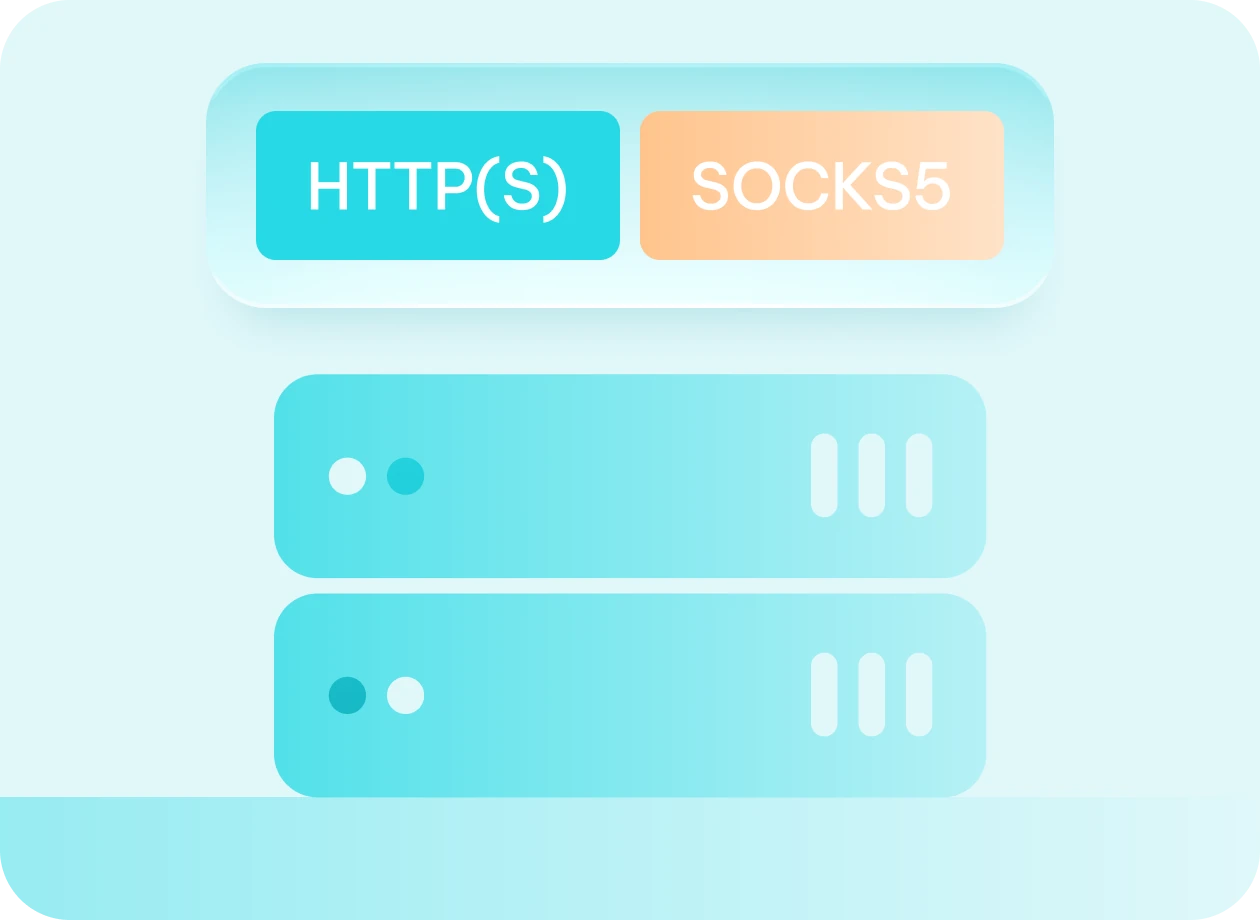
- Choose your Spotify proxy type (HTTP or SOCKS5).
- Enter your proxy Credentials from the dashboard.
- Restart Spotify.
These steps work for the desktop app only. For smartphones, you can set up a system-wide proxy connection on Android or iOS.
Bypassing Geo-Restrictions and Bans
Just like most streaming services, Spotify uses an IP identification system to know where listeners are located. When you change your location with a Spotify proxy service, your requests are routed through a different IP address, enabling you to access location-specific content.
For instance, if you want to create and access a US-based account, you have to use a US Spotify proxy, making it seem like you’re connecting from the States. Since different countries have different Spotify subscription costs. Proxies can also help you save some money by getting an account in a region where it’s cheaper.
A Spotify proxy can also help in case you get your account banned. The platform implements IP-based bans to restrict users who violate its terms of service. When you change your IP address with a proxy, you can create a new account.
Web Scraping on Spotify Using Proxies
Creators, researchers, marketers, and many others need quality data from Spotify on a daily basis. While there is an official Spotify API for music streaming data, it lacks real-time streaming counts, historical data, and imposes various rate limits.
With a web scraper, the data can be collected in minutes, but your original IP address is likely to get banned, or you won't be able to access data from specific regions. Using a reliable proxy service, such as IPRoyal's rotating residential proxies, supplies you with multiple IP addresses for bypassing restrictions and avoiding bans.
While collecting publicly available data is legal, Spotify actively prohibits scraping. Using automated tools to collect data or circumvent restrictions might result in account bans or legal action.
Best Proxies for Spotify
Almost any type of proxy service will work with Spotify. You should only steer clear of free Spotify proxies as they are unreliable and might create risks of data leaks, ad injection, or even malware. The remaining proxy types have different advantages depending on your use.
- Residential proxies offer real IPs from household devices and Internet Service Providers (ISPs). They are least likely to be blocked and are generally considered premium Spotify proxies.
- Mobile proxies are running on mobile devices, such as smartphones and tablets, using cellular data. If used exclusively on your Smartphone, they are the best Spotify proxies.
- Datacenter proxies stand out with their speed and affordability, since they run on commercial servers. These high-performance proxies are best for high-traffic intensity tasks, but might be easier to detect.
- SOCKS5 proxies use the SOCKS5 protocol to route your traffic, which can leverage UDP Support that Spotify uses to stream audio files. It's a preferred feature for all Spotify proxies.
- Rotating proxies describe proxies that change multiple IP addresses automatically based on the user's settings. It's a common requirement for collecting data or performing other tasks on Spotify.
IPRoyal offers all of these proxy types with top-of-the-line performance for affordable prices.
Spotify Proxy Use Cases
A Spotify proxy server is designed to work as an intermediary between your device and the streaming service.
Proxies reroute all your internet traffic, hiding your original IP address. As such, Spotify proxies are used in various scenarios

Bypassing region restrictions
Streaming services like Spotify deliver content to users based on their location. Using Spotify proxies allows you to bypass such restrictions

Preventing data throttling
Your ISP might limit entertainment services, including Spotify. High-performance proxies can avoid such throttling and increase Spotify performance

Local network restrictions
Firewall settings of your local network, like an office or school, might restrict streaming services. With proxies, you can unblock Spotify and other apps

Better subscription prices
Spotify may charge you more depending on your IP address location. With a proxy service, you can access better deals available in other locations

Collecting data from Spotify
Spotify houses one of the most comprehensive databases of music and user listening habits. Spotify proxies help to collect such data more efficiently
Frequently Asked Questions
What is a Spotify proxy?
A Spotify proxy is an intermediary server rerouting your Spotify traffic using an alternate IP address. Your device doesn’t communicate with Spotify directly and instead interacts with the proxy, allowing you to unblock Spotify, bypass geo-blocks, data throttling, and other restrictions.
What are the best proxies for Spotify?
Proxy services are used for a wide range of functions, such as allowing users to bypass geo-restrictions and scrape publicly available data. The best Spotify proxy varies based on your use case. Typically, mobile and residential proxies are recommended for streaming music.
Does Spotify support the use of proxies?
Spotify's desktop version has built-in proxy settings, so at least at a technical level, Spotify acknowledges and supports proxy use. That said, support for proxies depends on your use case. Using Spotify proxies to circumvent geo-restrictions or content licensing agreements is against the terms of service.