What Is a Proxy Server and How Does It Work?
Proxy fundamentals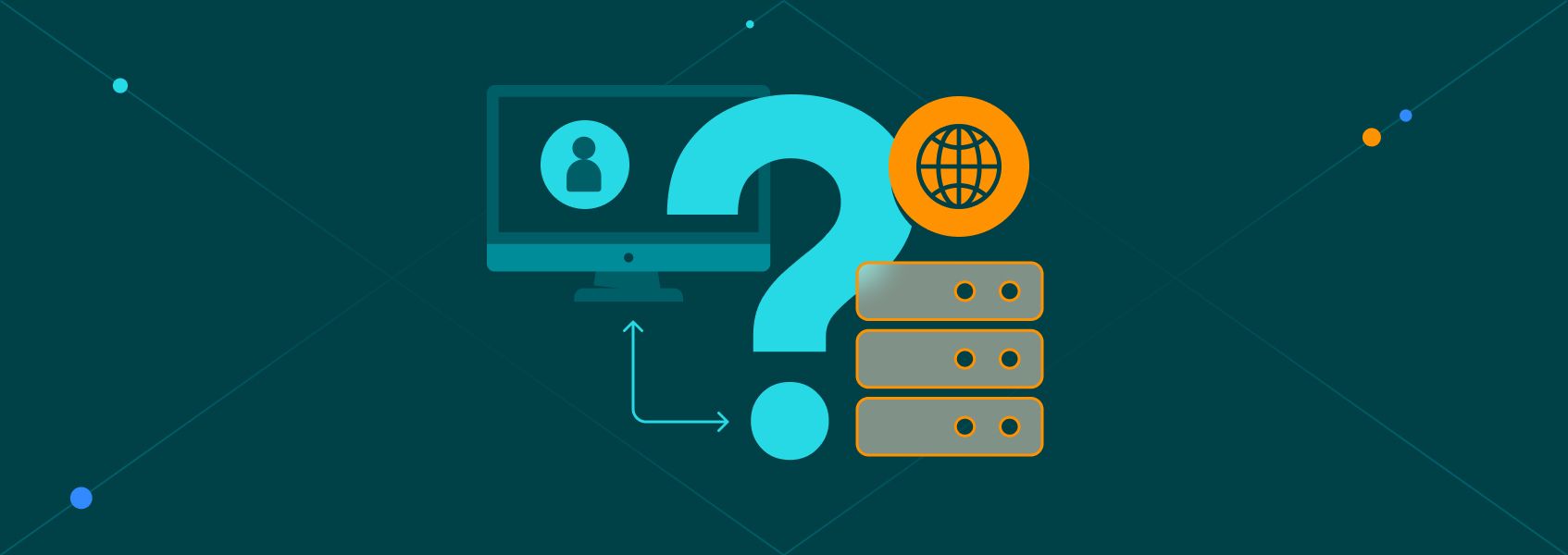

Arevika Ambarcumian
Key Takeaways
-
Using an anonymous proxy hides your real IP address, which allows you to browse privately, see localized content, and enhance overall security.
-
Proxies come in various categories, including residential proxy options, datacenter IPs, and mobile networks, tailored for tasks like web scraping, SEO research, social media management, and business automation.
-
Premium private proxies aren’t free, but they offer better performance and reliability when compared to free proxies that may also involve privacy risks.
Each time you connect to the internet, your device sends web requests to the target server, specifying what’s needed for online communication. Among these details is your IP address, a unique string of characters tied to your approximate location and Internet Service Provider (ISP).
An IP address and exposed DNS requests are critical factors used to track you online, filter content by location, and limit automated activities. By routing your requests, proxy servers are one of the easiest ways to conceal your IP address and avoid such limitations.
What Is a Proxy Server?
A proxy server is an intermediary device that stands between you and the internet, using its own IP address to send requests on behalf of the user. Think of it as renting someone else’s device or IP address to keep your original IP and personally identifiable information hidden.
Besides increased privacy, a web proxy server helps individuals and businesses manage web requests more efficiently. You can use proxies from different locations, allowing you to access the internet as if you were in those locations. Proxy servers also help you to send automated requests while avoiding rate limits, CAPTCHA, and other restrictions.
A standard web proxy is often confused with a VPN , as both change your IP address. The main difference is that proxies do not encrypt your traffic by default, while VPNs do. This can increase security when using public Wi-Fi, but it requires additional software, which might make your device slower.
Proxies are a more lightweight solution that can be integrated into software applications, from browsers to web scrapers. VPNs are a more one-size-fits-all solution common for everyday use.
| Feature | Proxy server | Virtual Private Network (VPN) |
|---|---|---|
| Encryption | None by default | System-wide encryption |
| Speed | Faster | Slower due to server sharing and various security features |
| Scope | Application-level | Entire device |
| Typical use case | Data extraction and localized testing | Personal privacy and public Wi-Fi security |
| Cost | Per bandwidth or IP address | Flat monthly subscription |
Understanding the Inner Workings of a Proxy Server
Just like every house has a street address, every device connected to the internet has a unique IP address . It’s how devices on the internet know where to send data so you can access the content you need. While this is crucial for online communication, showing your IP makes you identifiable.
When connecting to the internet through a proxy server, the server acts as a middleman between you and the websites or online services you access. Instead of accessing those sites directly, your web requests are sent to the proxy, which then forwards them to destination web servers on your behalf.
This indirect connection means that your IP address and associated data, such as your location and your ISP’s name, aren’t visible to the websites you visit. What the destination servers see is your proxy’s IP address and location. For instance, a transparent proxy reveals your true IP address and tells target servers it is acting as an intermediary.
Proxy servers can provide access to a single user, making them private or dedicated proxies. These are the most reliable and secure proxies because they are not shared among multiple users simultaneously. As a result, you have complete control over each activity.
Types of Proxies
Choosing a proxy means understanding how different server categories overlap, as a single connection can combine multiple traits. For example, you might use an IP address that is simultaneously residential, HTTPS, and rotating.
Types by Direction of Traffic Flow
Forward proxies sit between a client and the internet so they can intercept outbound web requests. For example, when you visit a website, the proxy receives your intended request, then retrieves the webpage from the internet for you and hands it.
Forward proxy servers help you keep internal networks protected when sending web requests. These proxies are often used to browse anonymously, access content that’s not available in their country, extract web data, and more.
A reverse proxy also provides privacy and anonymity for online tasks. But unlike a forward proxy, it sits in front of the web and backend servers. To put it simply, a reverse proxy does the opposite of what standard client proxies do by handling inbound connections.
By acting as a filter for incoming requests to a website, they help with caching, privacy, load balancing, security, and encryption. So if you have a website, service, or app that gets heavy traffic, deploying a reverse proxy helps ensure everything runs smoothly, since it can redistribute the load to several servers.
Types by IP Source
- Datacenter proxies use commercial servers. They have no ties to consumer ISPs or telecoms and offer extremely high speeds, making them best for traffic-heavy workloads, but they are trivially detectable as proxies (although your real IP address is still not revealed).
- Residential proxies come from household devices on standard ISP networks. They have high trust scores since websites see them as normal consumer traffic.
- Mobile proxies connect through cellular towers. They are highly effective for testing mobile apps and for all tasks where residential proxies are used.
- ISP proxies host legitimate consumer IPs on data center servers. They combine the raw speed of a data center with the strong reputation of a household connection. Best for when you need great trust scores during traffic-heavy workloads.
Types by Anonymity Level
- Transparent proxy servers pass your real IP address to the target and identify themselves as proxies.
- Anonymous proxy servers hide your true IP address but still announce their status as a proxy in the request headers.
- Elite or high-anonymity proxy servers strip all identifying headers. The target server never knows a proxy intercepted the connection.
Types by Protocol
There are three main proxy protocol types: HTTP, HTTPS, and SOCKS5.
HTTP proxies are designed to handle unencrypted web traffic, while a CGI proxy allows users to access web pages directly through a web form within their browser.
An HTTPS proxy opens an encrypted tunnel between your device and the target site, so the proxy passes traffic through without reading it. A dedicated SSL proxy goes further and terminates the TLS connection to inspect traffic for malware or data leaks before re-encrypting it.
Last, SOCKS5 proxies operate at a lower network level, which allows them to support almost any type of internet traffic. It makes them exceptionally well-suited for tasks like large file transfers, video streaming, heavy API interactions, and more.
Types by Access
You need to decide how to share the proxy and how long you need the IP address to remain the same.
- Public proxies are free but pose severe security risks, and many public tools function as a basic transparent proxy that leaves your IP exposed.
- Private or dedicated proxies give you exclusive control over an IP address without competing for bandwidth.
- Shared proxies split the cost of a single IP among multiple users, though this can slow down connection speeds.
- Rotating proxies assign a new IP address from a large pool for every single request.
- Static proxies hold the exact same IP address for the duration of your service to help you maintain persistent sessions.
The Benefits of Using a Proxy Server
Whether you’re a business or personal internet user, masking your IP address with a proxy server will help you unlock unlimited internet access and make your experience more anonymous and secure. Let’s go through some of the most significant advantages of using reliable proxy servers .
Improving Your Privacy
Nowadays, many companies try to track our online activity and collect user data. By hiding your IP address and location, proxies make it harder to track your online activity.
Connecting via an anonymous proxy is particularly valuable for businesses, journalists, activists, and researchers seeking privacy. It’s an easy way to protect your freedom of expression, get the information you need, and perform a wide range of online business tasks efficiently and safely.
Accessing Localized Content
Geo-blocking is the practice of limiting your access to digital content based on geographic location. Streaming services, such as HBO Max or Netflix, and almost any other major website practice geo-blocking to limit user access to content. It’s also common for governments to block or restrict access to social media, search engines, and other online content.
Whether avoiding location tracking or geo-blocks, employing a proxy provides an effective way to change your perceived location. Geo-restrictions rely on users’ IP addresses, and proxies can change your IP to anywhere in the world. If you live in the US and route traffic through a distorting proxy configured with a fake IP, you can access German content as if you were in Germany.
Improving Your Online Security
Any individual or organization can become a victim of a cyberattack. From financial losses to reputation damage, the consequences can be severe. Reliable proxies form a key part of enterprise security, providing an additional layer of security to an internal network or private network from outside intrusion.
Implementing an SSL proxy or reverse proxy at the application layer of the OSI model cuts the risk of direct attacks and data leaks. Moreover, they can be used as firewalls or web filters to protect against malware and other online threats, a key distinction often highlighted in proxy vs firewall comparisons. Proxies are a simple way to protect yourself and your company from data leaks and identity theft.
Web Scraping
Instead of manually gathering data from websites, you can use automation tools called web scrapers to speed up and simplify the process. Businesses use web scraping for market research, price aggregation, lead generation, competitor analysis, and many other use cases.
Web scraping can be a sensitive topic, as website owners want to avoid their servers being overloaded by automated requests. For that reason, they may limit the number of requests from one IP address.
With proxies, you can avoid IP-based restrictions and help your web scraper send web requests from various locations. By routing requests through a rotating proxy, each request appears to originate from a unique visitor in a different location. As a result, it becomes more difficult for the target web servers to detect and block your scraper.
SEO Monitoring and Research
Search Engine Optimization (SEO) helps businesses rank higher in search engines, which, in turn, helps them to get organic traffic , more customers, and higher revenue. SEO practices involve regularly checking search engine result pages and monitoring the competition.
Utilizing high-anonymity proxies makes this process easier by allowing companies to replicate organic searches across multiple locations without triggering blocks. As a result, they gain valuable SEO performance insights, enabling them to adjust their SEO strategy and improve their search engine rankings.
Providing Faster Speed and Saving Bandwidth
Every online user wants a fast internet connection, especially when downloading large files from remote server locations. Whether for gaming or scraping data, proxies can improve content delivery speed and reduce bandwidth usage.
A proxy server can be located closer to the target server, or it can bypass blocks that limit performance. Setting up a reverse proxy server with caching capabilities can also make content instantly available to all users on the network. Aside from saving bandwidth, proxies reduce operational costs by improving page loading speed.
Blocking Access to Unwanted Websites
If you’re a business owner and want to prevent employees from accessing distracting websites during office hours, proxies can help. They let you block entire websites, specific URLs, or apps like Facebook, TikTok, and YouTube, so no one wastes time at work.
This feature can also help you keep users away from illegal or unsafe websites, protecting your corporate data. Likewise, proxies can help network administrators monitor traffic and introduce new rules as necessary.
The list of benefits of using a proxy server doesn’t end here, especially for business users. They often use proxies to manage multiple social media accounts, improve email security, balance traffic to prevent network crashes, perform web testing, verify ads, etc.
How to Buy a Proxy: Step-by-Step
1. Choose a Proxy Provider
Research multiple proxy providers to ensure they offer the needed proxy types, countries, authentication methods, protocols, and other features. Chat with customer support, read documentation, and find reviews on platforms like Trustpilot for extra measure.
2. Create an Account
After you’ve found a fitting proxy provider, create an account . With IPRoyal, you can sign up in minutes using Google, LinkedIn, or by entering an email address and creating a password.
3. Select Subscription Details
After you log in to the dashboard, select the needed proxy type. Depending on it, you’ll have the option to choose either the traffic volume or the subscription length. Additional order details, such as proxy country, IP quality, or special requirements, can also be included at this step.
4. Complete the Purchase
After choosing a subscription plan (or a pay-as-you-go option for our residential proxies), select a payment method. Credit card, crypto, PayPal, Google Pay, Apple Pay, and Alipay are available.
5. Find Your Proxy Credentials
Once the payment is completed, find your proxy credentials (IP address, port number , and username/password) in the dashboard. You can also set up IP whitelisting for easier access.
6. Configure and Test Your Proxy
Lastly, configure your proxy settings in a web proxy extension or client application to test the connection. The easiest way is to use IPRoyal’s proxy manager extension on your browser and visit an IP Lookup tool to see if your location has changed. Alternatively, you can use a proxy client .
The Potential Dangers of Using a Proxy Server
Like anything else operating over the internet, proxies can also pose certain cyber threats, but they mainly apply to free and shared proxies. Shared proxies obtained from unreliable providers are not the best choice for anyone who cares about online security, privacy, and speed.
Some of the dangers associated with proxies include a lack of encryption. Unlike VPNs , proxies may not support encryption, making your connection unsafe. They may also run on open ports, which can help cybercriminals access sensitive data.
Another reason why you may want to avoid free proxies is the inconsistent speed and frequent crashes. If you rely on proxy servers to keep you protected, you should be able to rely on them at all times. Therefore, it’s critical that you use premium private proxies from a reliable provider. Only that way can you take full advantage of everything they have to offer.
FAQ
What is a proxy server definition?
A proxy server is an intermediary between your device and the website or online platform you want to access. It keeps your online identity private by using its own IP address to connect you to the destination server.
What is a proxy server used for?
As long as you use a reliable anonymous proxy, you can conduct sensitive business research, web scraping, and geo-restricted tasks securely. They include anonymous browsing, efficient web scraping, SEO monitoring and research, bypassing geo-restrictions, protecting sensitive data, online gaming, etc.
What’s the difference between a VPN and a proxy?
While both can protect your online identity and enhance your privacy, they work in different ways. Proxies are faster and have a more diverse set of features. VPNs, on the other hand, encrypt your traffic by default, which is a plus. However, they’re not suitable for specific tasks that proxies can handle.
Why should you NEVER use free proxies?
Free proxies are unreliable, so they may stop working when you need them the most. They usually offer slow speeds and may already be blacklisted by many websites due to their questionable history. Also, cybercriminals can set them up as a front to steal your sensitive data.
Is it legal to use proxies?
Using proxies isn’t illegal as long as you don’t use them for any illegal activities. The legality of using proxies depends on the country in which you plan to use them. Some countries may prohibit the use of proxies for certain tasks, so make sure to stay up to date on local laws and regulations.